How do I set up Frequently Bought Together (FBT) recommendations on my Shopify store?
To set up Frequently Bought Together (FBT) recommendations, please follow the steps below:
-
Install the app from the Shopify App Store.
-
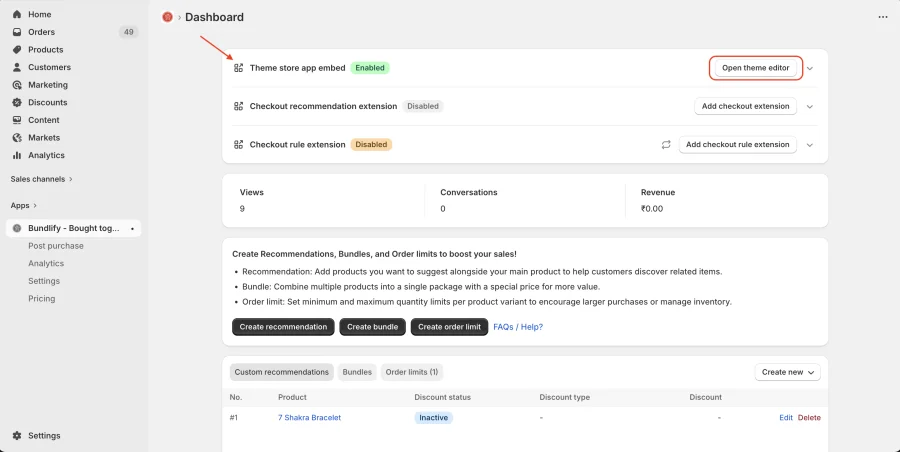
Open the app and go to the App Dashboard.
-
Click on “Theme Store App Enable” or “Open Theme Editor.”
(The block will be automatically added to your product page & You can also add it manually if needed)
-
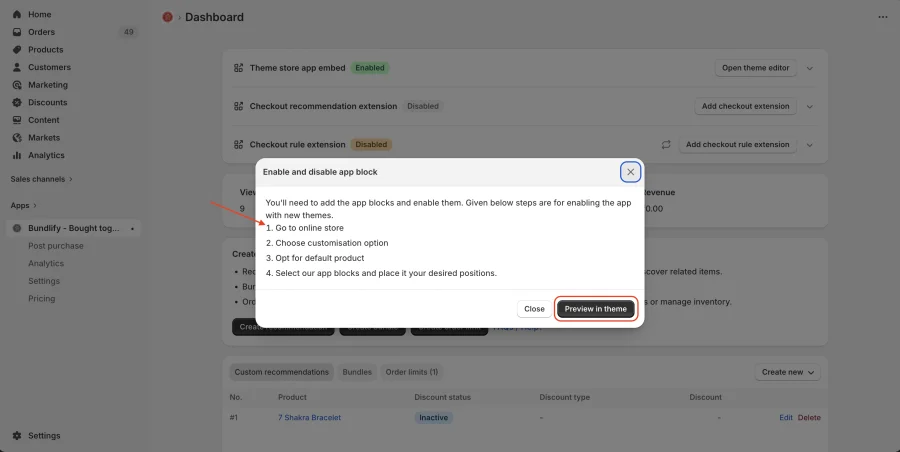
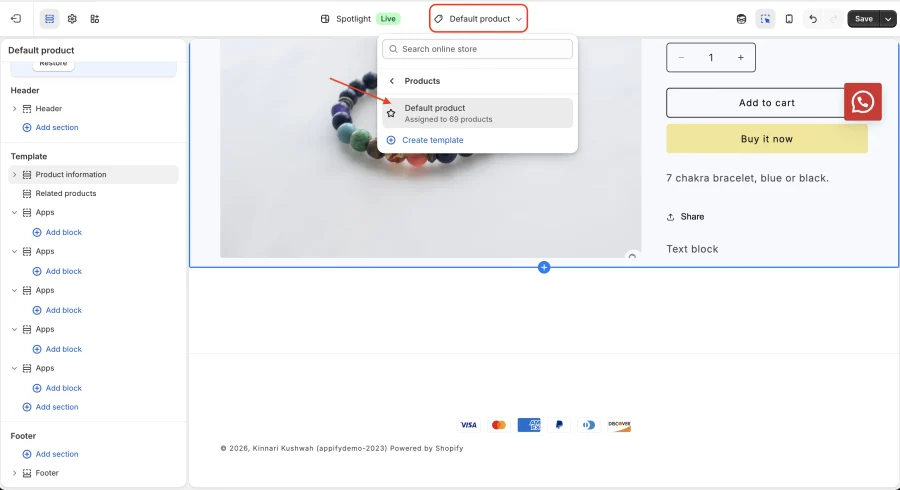
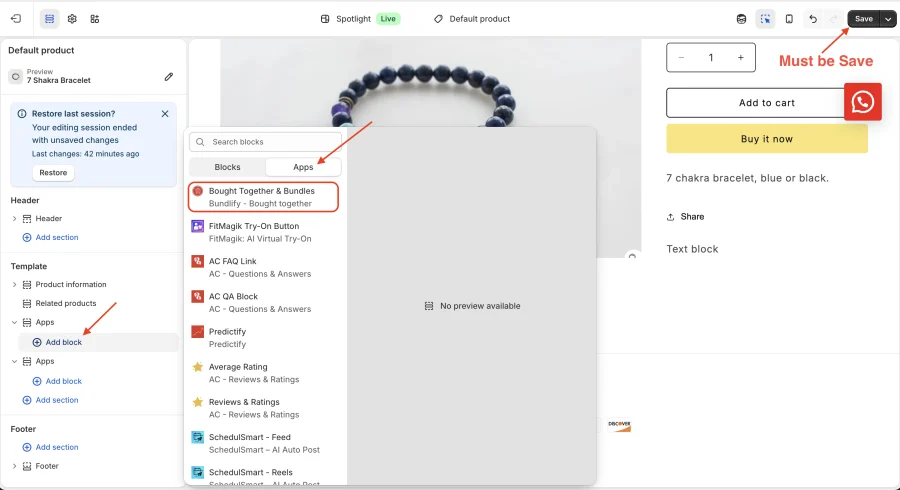
A popup will appear — follow the instructions to proceed and add block.
-
Must be Save set up.
Get Bundlify app for your Shopify store from here Bundlify - Bought together