How to Enable Checkout Recommendation Validation?
The checkout recommendation extension lets you display a product recommendation block directly inside the Shopify checkout. This helps you showcase additional products to customers at the final stage of purchase, increasing your chances of upselling and boosting average order value.
Note: Shopify only allows app blocks on the checkout page for Shopify Plus stores. Non-Plus stores cannot add this block.
How to Enable – Steps:
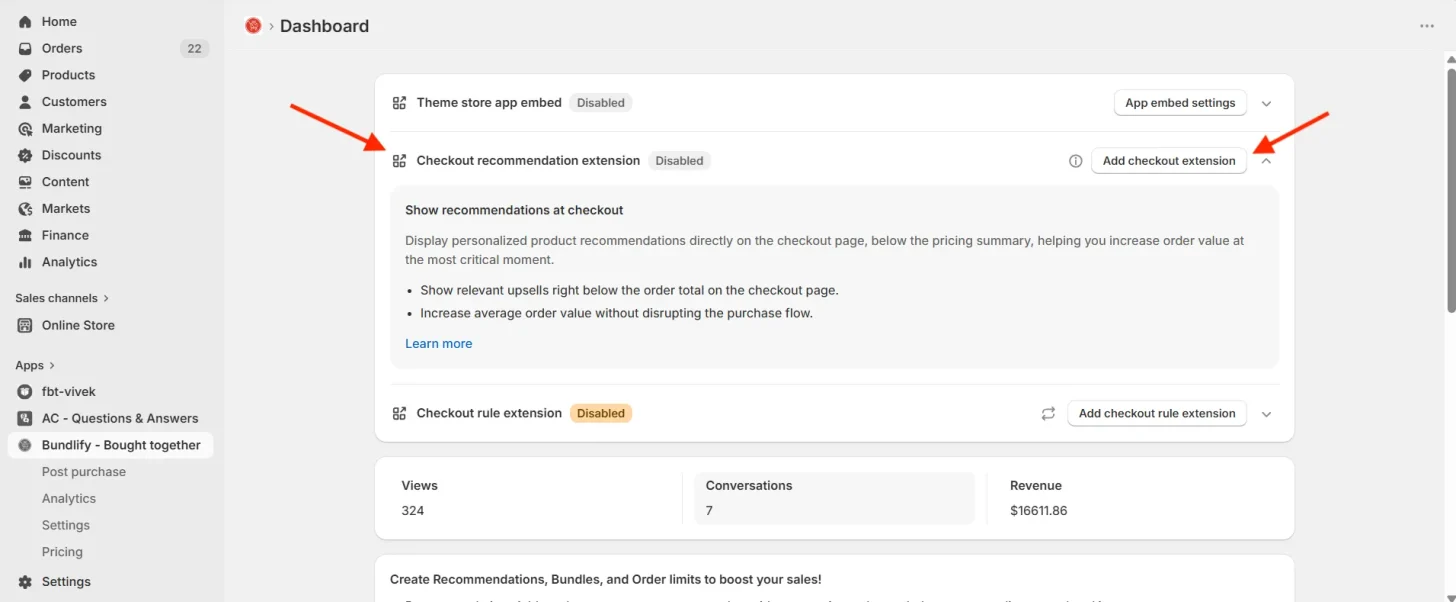
- Click the “Add checkout extension” button on the Bundlify dashboard (or “Open checkout editor” in the setup guide), or open Shopify admin → Settings → Checkout → Customize.
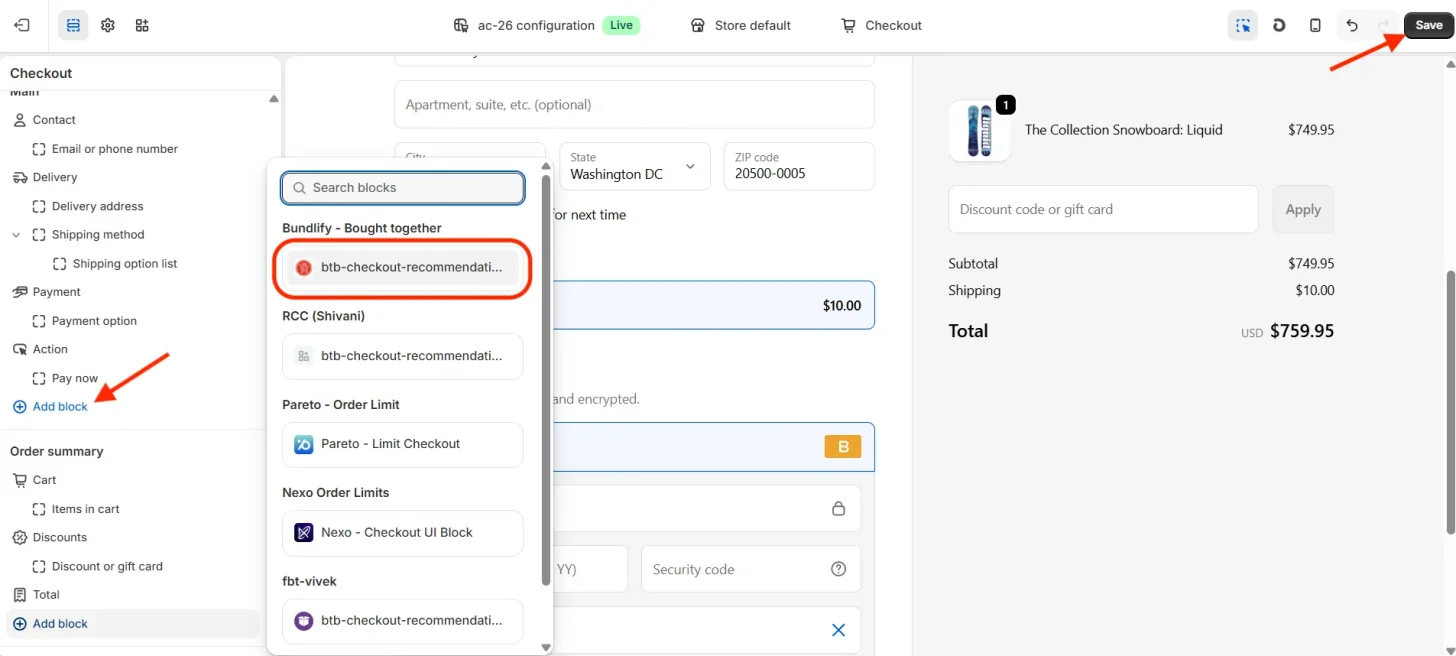
- Go to the section in the checkout where you want the recommendation block to appear.
- Click on “Add section” and select the “btb-checkout-recommendation” block from the list.
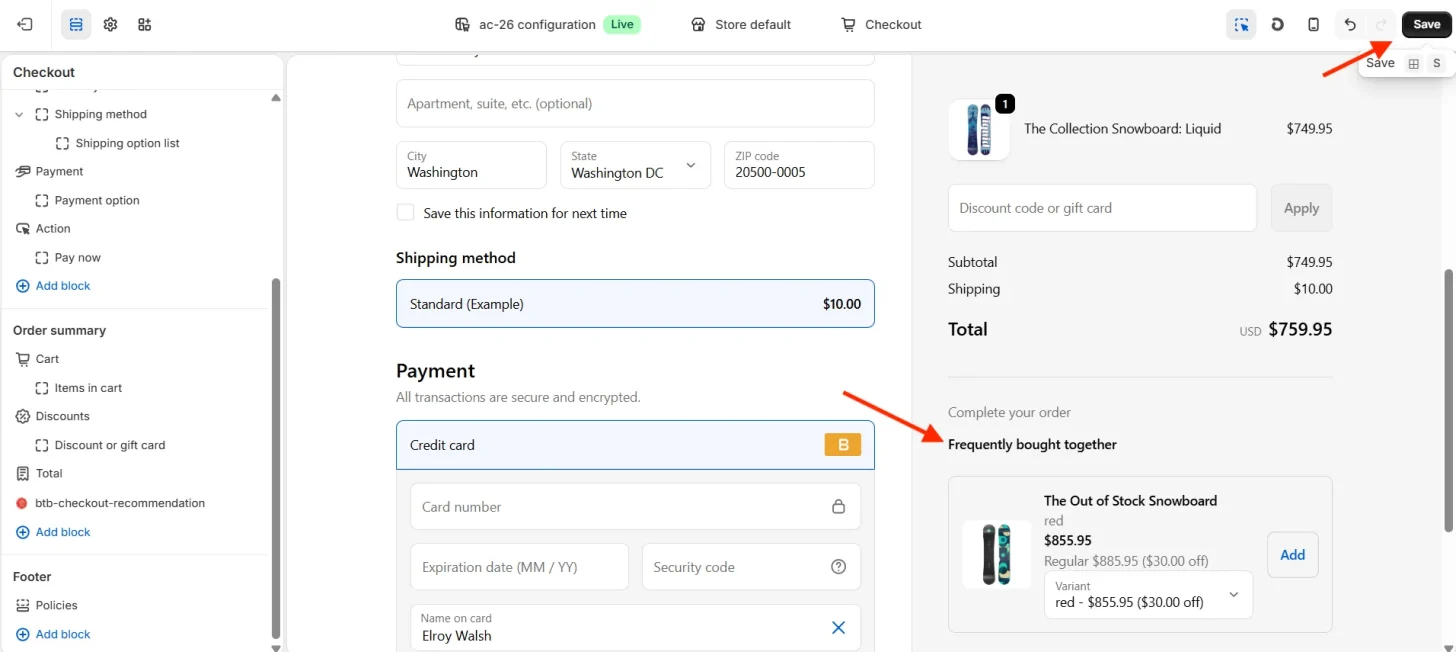
- Click “Save” to apply the changes.
✅ Your checkout recommendation block is now active and ready to display product suggestions to customers during checkout.
Get Bundlify app for your Shopify store from here Bundlify - Bought together