How can I create product bundles using the Bundlify app?
Creating product bundles with Bundlify is simple and quick.
Follow these steps:
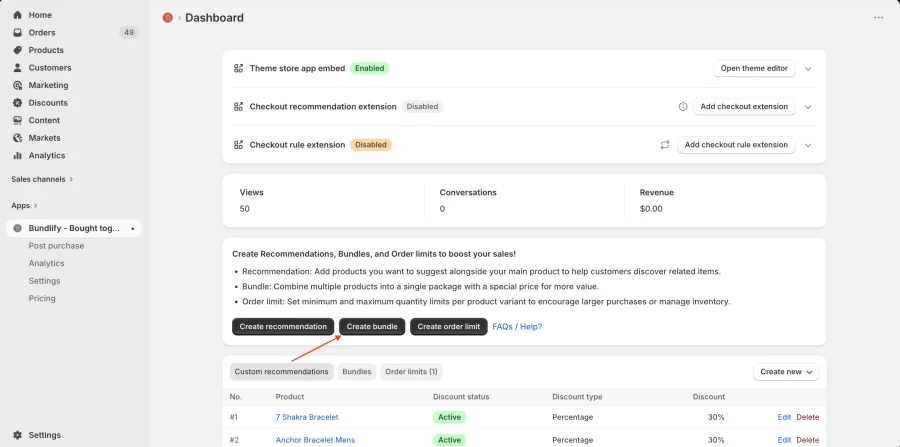
- Go to your Bundlify App Dashboard
- Click on the “Create Bundles” button
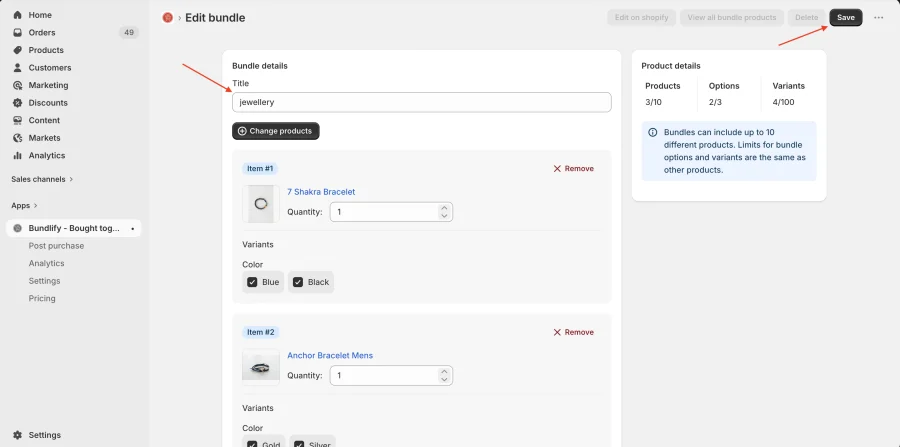
- Enter the required bundle details (such as title and configuration)
- Select the products you want to include in the bundle
- Click Save to apply the bundle to your store
Once saved, the bundle will be displayed on your product pages, helping you increase sales by encouraging customers to purchase multiple products together.
Get Bundlify app for your Shopify store from here Bundlify - Bought together