How to Create Personalized Product Recommendations in Bundlify App?
To create personalized product recommendations in the Bundlify app, follow these steps:
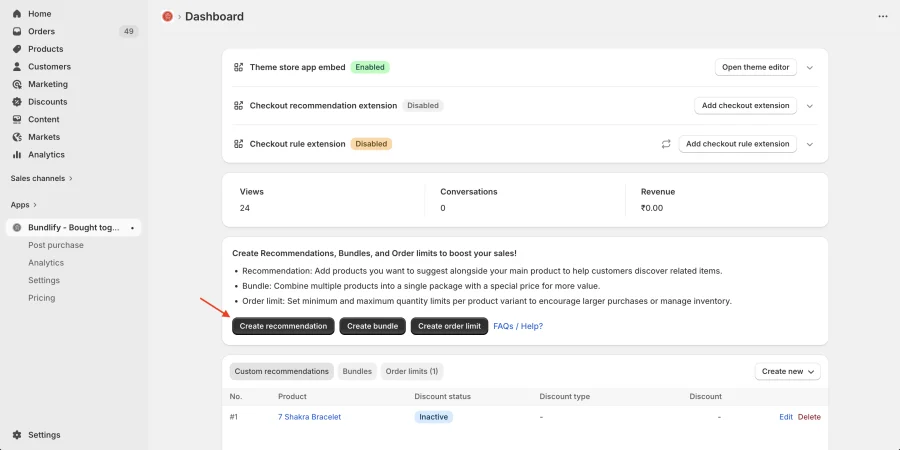
- Go to your Bundlify App Dashboard
- Click on the “Create Recommendation” button
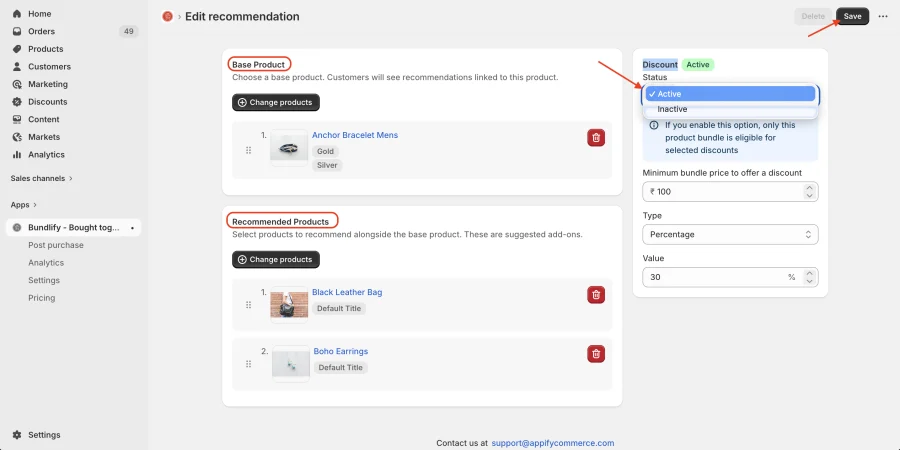
- Select the Base Product (the main product you want to promote)
- Choose the Recommended Products that you want to display alongside it
- (Optional) Enable the Discount option to offer bundle deals and increase conversions
- Click Save to apply your recommendation
Once saved, the selected products will appear as “Frequently Bought Together” on your product page, helping you increase average order value and improve customer experience.
Get Bundlify app for your Shopify store from here Bundlify - Bought together