How can I customize the UI of the Frequently Bought Together widget in Bundlify?
You can easily customize the UI of the Frequently Bought Together widget directly from the app settings.
Just follow these steps:
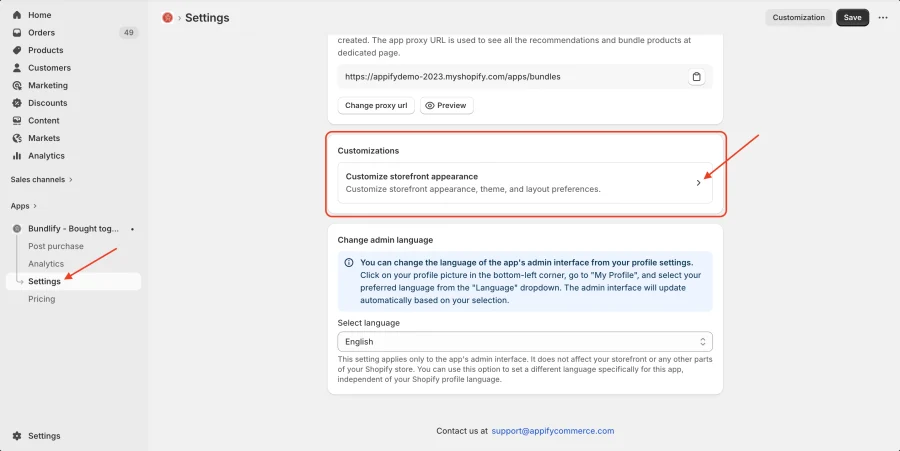
- Go to Bundlify App Dashboard
- Click on Settings
- Select Customizations
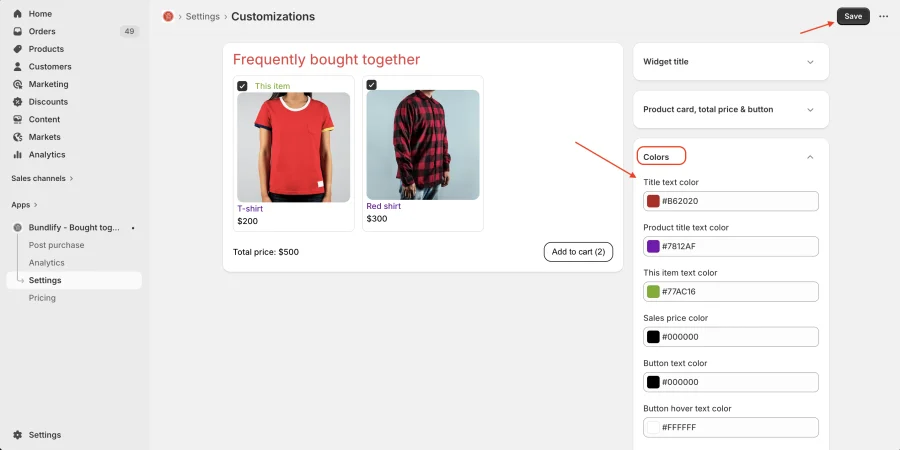
In the customization section, you can find multiple fields to customize the widget based on your store theme.
- Widget title
- Product card, total price & button
- Colors
Simply adjust these settings as per your branding and save the changes. Your widget will update accordingly on your store.
Get Bundlify app for your Shopify store from here Bundlify - Bought together