How do I create discounts for post-purchase products in Bundlify?
To create discounts for post-purchase products in Bundlify, follow these simple steps:
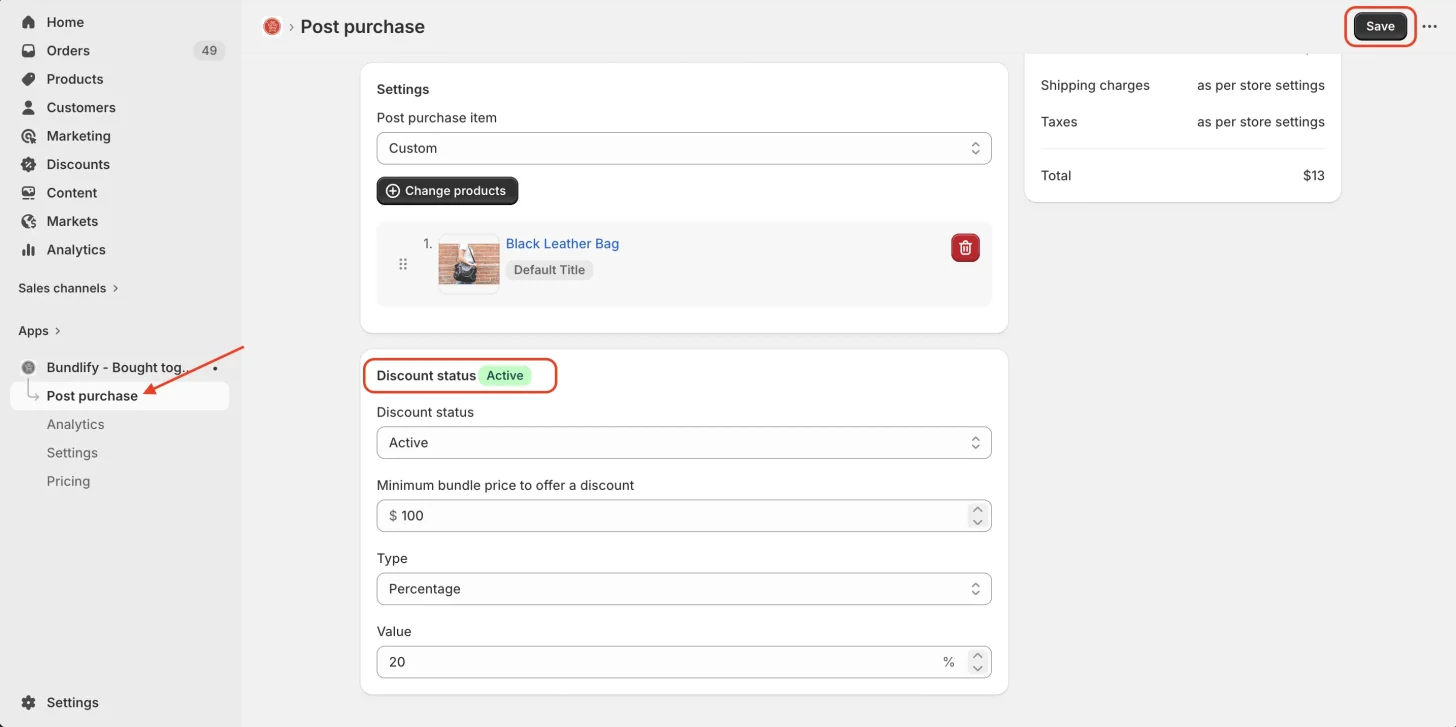
- Go to the Post-Purchase section in the app
- Add or customize your post-purchase product
- Navigate to the Discount Status option
- Set the discount as per your preference (percentage or fixed)
- Click Save to apply the changes
Once saved, the discount will be applied to your post-purchase offers, helping you increase conversions and average order value.
Get Bundlify app for your Shopify store from here Bundlify - Bought together