How can I adjust the number of product recommendations in Bundlify?
Yes, you can easily adjust the number of product recommendations displayed in your Bundlify widget.
To do this, follow these steps:
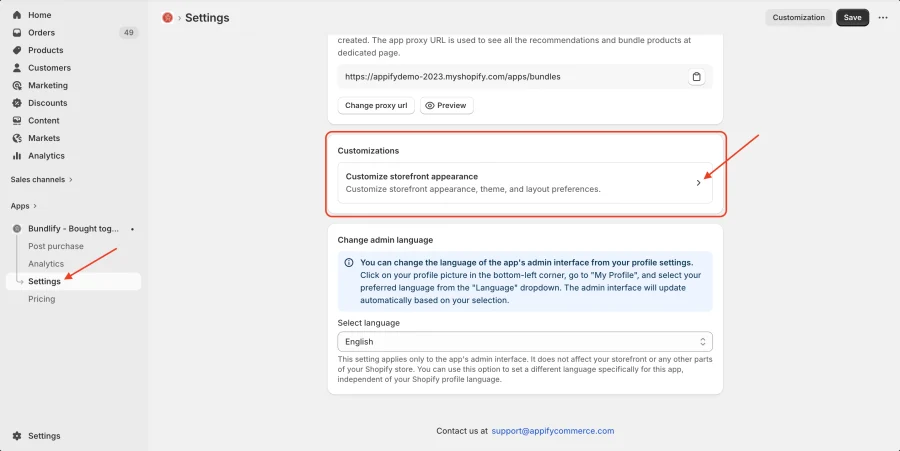
- Go to Bundlify App Dashboard
- Navigate to Settings
- Click on Customizations
- In the Widget Title section, locate Recommendations
- Adjust the number of product recommendations as per your preference
- Save your changes
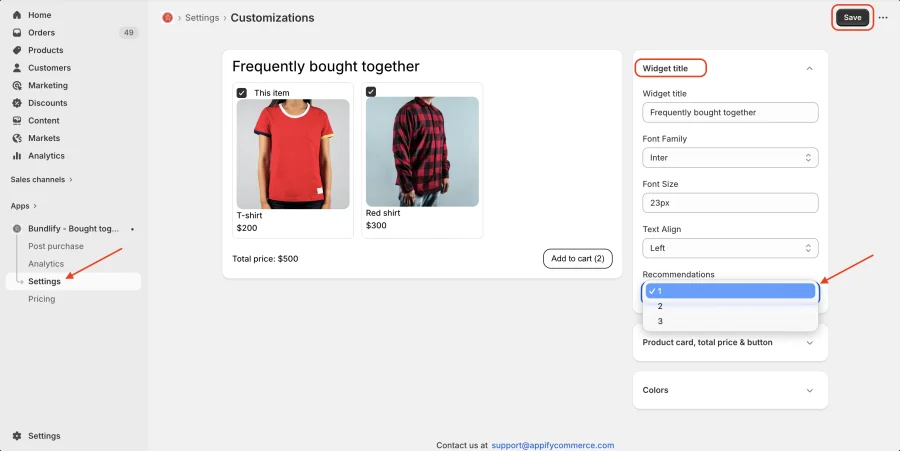
This allows you to control how many products are shown in the “Frequently Bought Together” section, helping you optimize the customer experience and increase conversions.
Get Bundlify app for your Shopify store from here Bundlify - Bought together