StoreFAQ Alternative for Shopify: Check What the Plan Actually Meters

· 6 min read
Kinnari
Chief Marketing Officer

StoreFAQ alternative for Shopify — a plan metered by FAQ page views next to a plan metered by questions asked

👉 If you'd rather pay by the question than by the pageview: Install AC ‑ Questions & Answers on the Shopify App Store →

Most "best Shopify FAQ app" comparisons stop at the feature grid. That's the least useful part. Every app in this category renders an accordion, writes FAQ schema and bolts on an AI answer button. What actually decides your bill twelve months from now is the unit each app counts — and in this category the two common units behave in opposite directions.

AC – Questions & Answers: The Complete Guide to Turning Customer Questions Into Confident Purchases

· 10 min read
Kinnari
Chief Marketing Officer

AC ‑ Questions & Answers for Shopify

👉 Give shoppers a place to ask, right where they're deciding: Install AC ‑ Questions & Answers on the Shopify App Store →

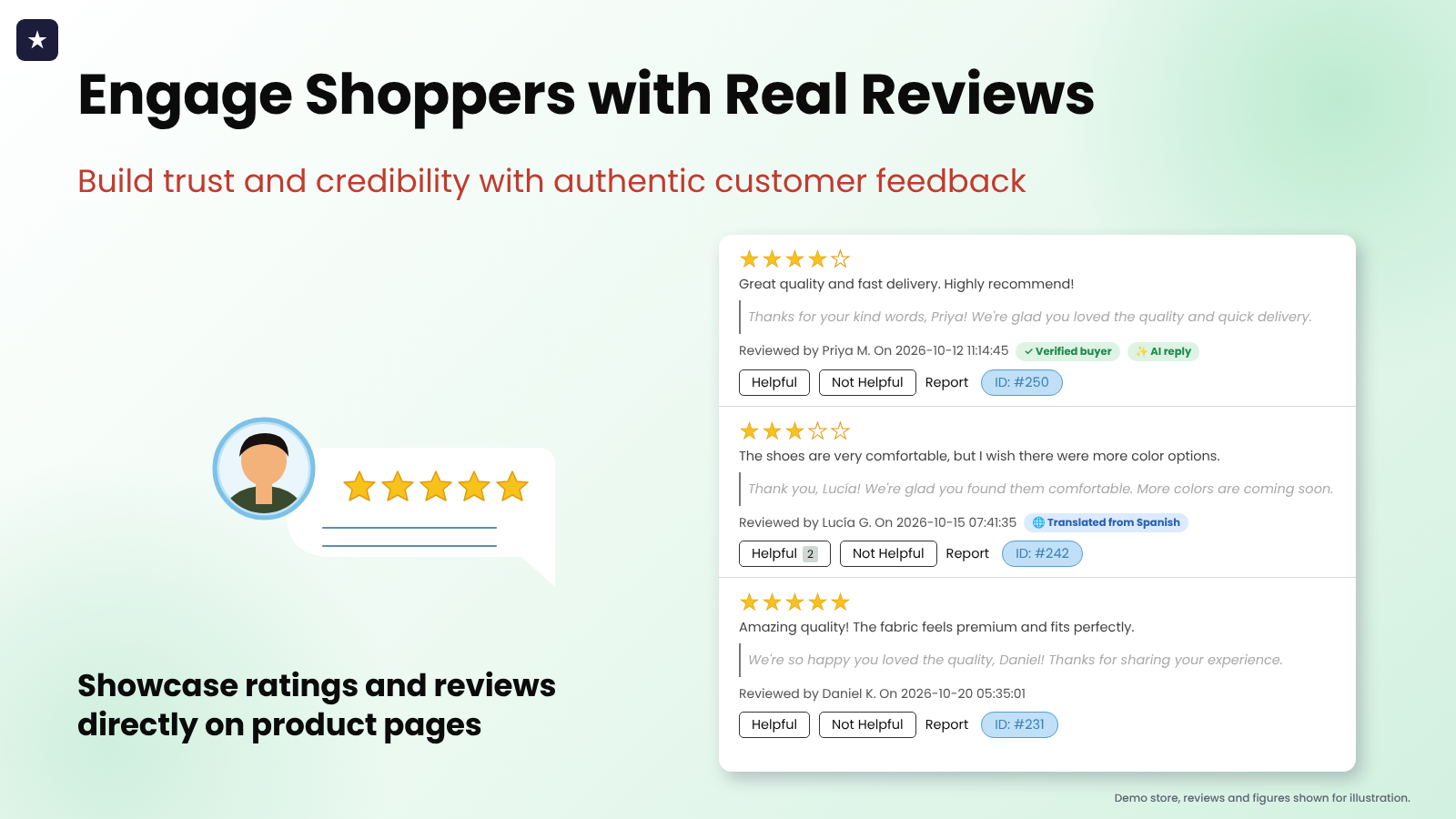
The average Shopify store converts about 1.58% of its visitors (IRP Commerce, 2025). Put differently: 98 out of every 100 people who land on your product page leave without buying. Price is part of that story, but a Forrester finding puts a sharper point on it — 53% of US online shoppers say they'll abandon a purchase if they can't quickly find the answer to a question. Not a bad answer. No answer.

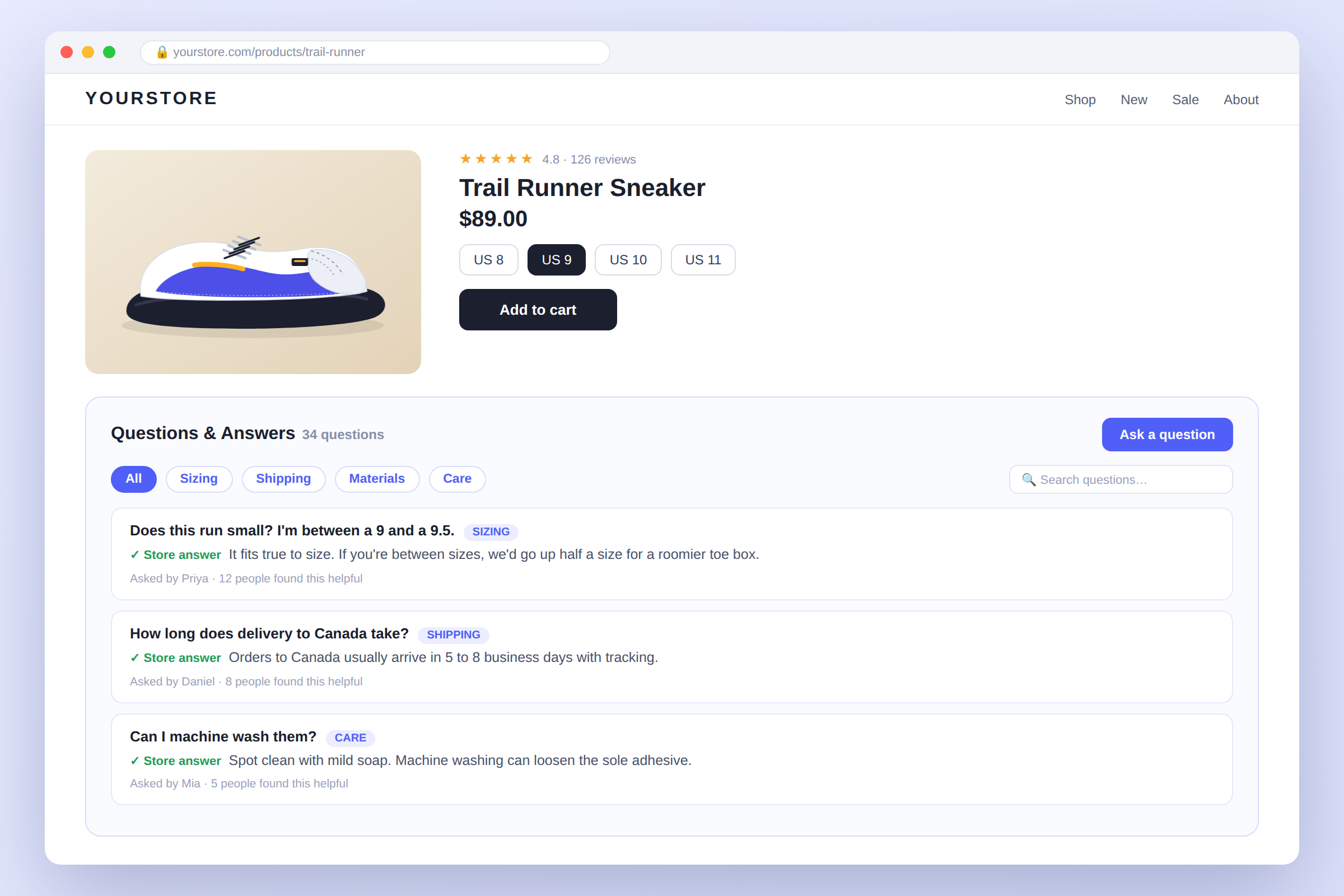
That's the exact gap AC – Questions & Answers by AppifyCommerce is built to close: a Q&A section that lives directly on your product pages, so the question that's stalling a sale gets answered right there, in public, before the shopper clicks away.

AC – Accessibility Toolkit: Deliver an Accessible Experience for Every Shopper

· 7 min read
Kinnari
Chief Marketing Officer

AC ‑ Accessibility Toolkit for Shopify

👉 Fix your store's AC ‑ Accessibility Toolkit App now: Install AC ‑ Accessibility Toolkit on the Shopify App Store →

AC – Accessibility Toolkit: Make Your Shopify Store More Accessible for Every Shopper

Every shopper deserves a seamless experience when browsing, reading, and buying online. But many websites still create unnecessary barriers for people with visual, cognitive or motor accessibility needs.

Small text, poor color contrast, difficult navigation, missing alt text, limited keyboard support, and complicated page layouts can make an online store frustrating—or impossible—to use.

That's where AC – Accessibility Toolkit comes in.

UserWay Alternative for Shopify: What $349 a Month Buys You — and What It Doesn't

· 8 min read
Kinnari
Chief Marketing Officer

UserWay alternative for Shopify — overlay pricing vs a real audit

👉 Get the widget AND a real audit for $4.99, not $349: Install AC ‑ Accessibility Toolkit on the Shopify App Store →

UserWay is probably the biggest name in accessibility widgets. It's also the only accessibility app we know of whose Shopify pricing page reads like a CDN bill: $49 a month for up to 100k page views, $149 for up to 1 million, $349 for up to 10 million. Have a good BFCM and your accessibility button gets more expensive.

Why Every Shopify Store Needs a WhatsApp Chat Widget in 2026

· 5 min read
Kinnari
Chief Marketing Officer

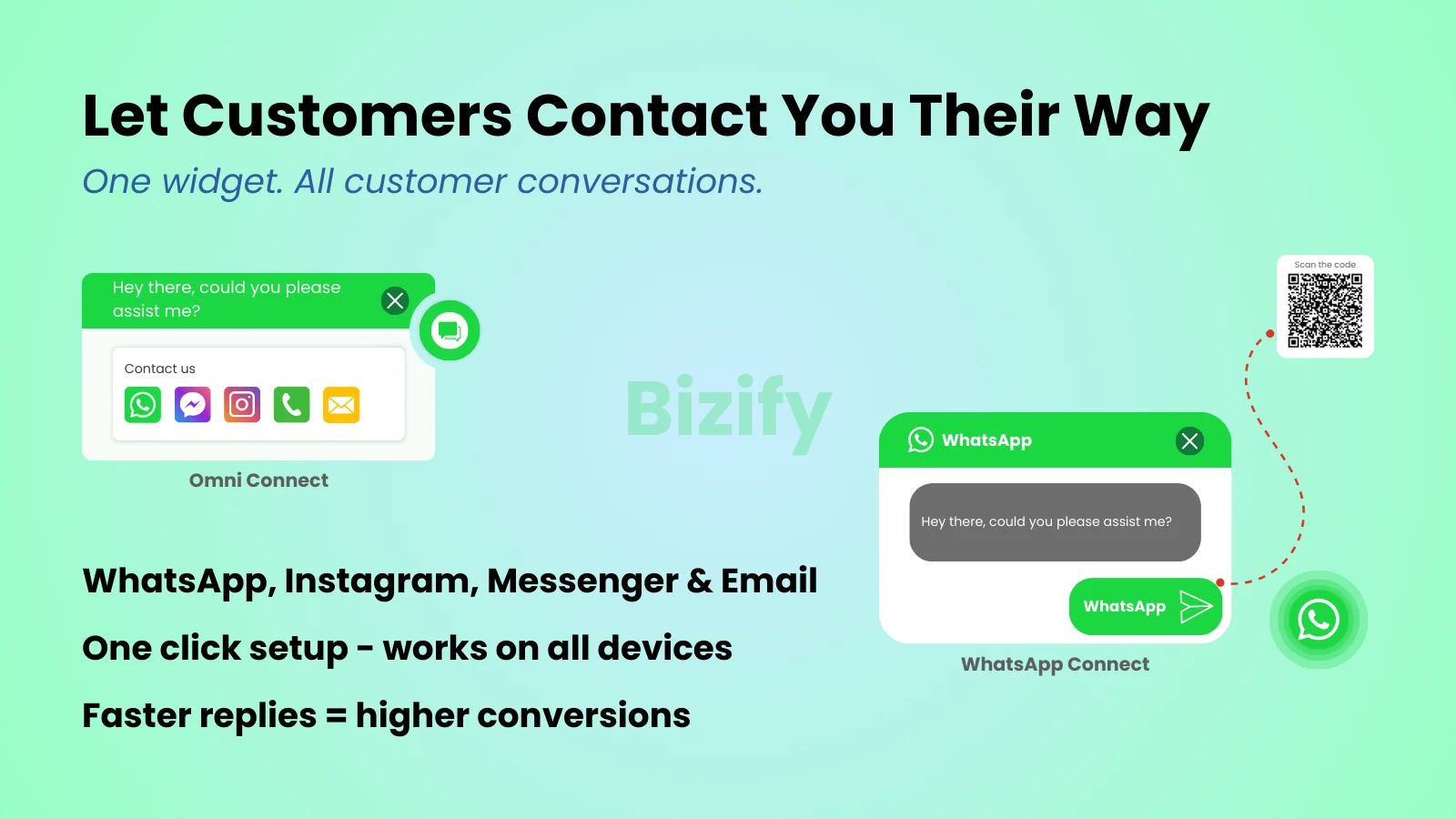
Bizify ‑ WhatsApp chat widget on a Shopify storefront

👉 Fix your store's Bizify ‑ WhatsApp chat App now: Install Bizify ‑ WhatsApp chat on the Shopify App Store →

A shopper lands on your store at 11 p.m., adds a hoodie to their cart, and then hesitates. Does it run true to size? Will it ship before the weekend? They look for a way to ask you, right now — and if the only options are a contact form or a support inbox that replies in 24 hours, most of them simply leave. Multiply that moment across every visitor who has a question your product page doesn't answer, and you start to see where a big share of "lost" revenue actually goes: not to a competitor, but to silence.

HelpLab FAQ Alternative for Shopify: Write the Answers, or Let Shoppers Ask the Questions?

· 9 min read
Kinnari
Chief Marketing Officer

HelpLab FAQ alternative for Shopify — a static FAQ list next to a shopper-submitted product Q&A

👉 If the questions you're missing are the ones you haven't thought of: Install AC ‑ Questions & Answers on the Shopify App Store →

Search "product FAQ" in the Shopify App Store and you get a page of apps that all do roughly the same thing: you type out questions, you type out answers, they render in a tidy accordion. HelpLab is one of the best of them. It is also, for a lot of stores, the wrong shape of tool — and you can't tell which camp you're in until you know where your unanswered questions actually come from.

The BFCM 2026 Bundle Checklist: How to Turn Every Product Page Into a Revenue Engine Before Black Friday

· 6 min read
Kinnari
Chief Marketing Officer

Bundlify ‑ Bought together for Shopify

👉 Build your BFCM bundles while there's still time to test them: Install Bundlify ‑ Bought together on the Shopify App Store →

Black Friday Cyber Monday 2026 lands on November 27–30 — which puts most merchants about 16 weeks out right now. That's exactly the window when the stores that win the holiday season stop thinking about traffic and start thinking about order value.

Here's the thing most merchants get wrong about BFCM: they spend their whole budget driving people to the site, then hand every visitor a single-item checkout experience. The stores that come out ahead in Q4 aren't necessarily the ones with the most traffic — they're the ones that get the most out of each visitor who shows up.

Arigato Automation Alternative for Shopify: When All You Actually Need Is Tagging

· 7 min read
Kinnari
Chief Marketing Officer

Arigato Automation alternative for Shopify — workflow platform vs a dedicated tagging app

👉 If tagging is the whole job: Install Taggify on the Shopify App Store →

Most merchants who go looking for Arigato Automation didn't wake up wanting a workflow platform. They wanted VIP customers tagged automatically, or wholesale orders flagged so the warehouse stops guessing, and Arigato was the app that came up.

How to Create Professional PDF Product Catalogs in Shopify with Catlogify

· 8 min read
Kinnari
Chief Marketing Officer

Catlogify for Shopify

👉 Fix your store's Catlogify App now: Install Catlogify on the Shopify App Store →

How to Create Professional PDF Product Catalogs in Shopify with Catlogify

Running a Shopify store means your products already live online—but what happens when you need to share those products outside your storefront?

A wholesale buyer may ask for a product line sheet. A sales representative may need a catalog to present to customers. You might want a downloadable PDF for a trade show, retail meeting, distributor or offline sales opportunity.

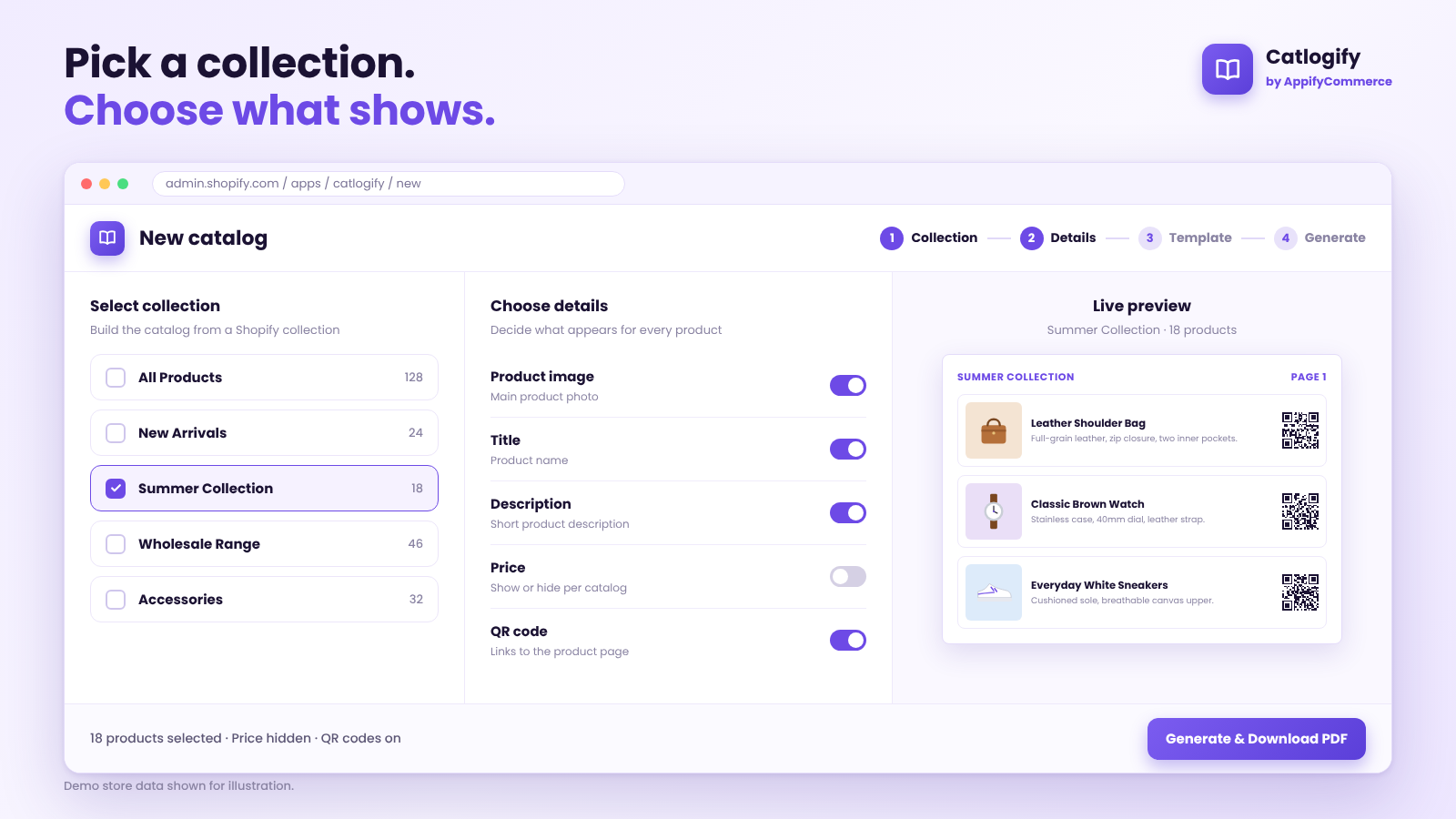
Creating these catalogs manually can quickly become repetitive. You have to collect product images, copy descriptions, organize product information, create layouts, export PDFs and then repeat the process whenever your products change.

Catlogify by AppifyCommerce provides Shopify merchants with a simpler way to turn their existing store products into professional PDF catalogs and wholesale line sheets.