AC – Accessibility Toolkit: Deliver an Accessible Experience for Every Shopper

👉 Fix your store's AC ‑ Accessibility Toolkit App now: Install AC ‑ Accessibility Toolkit on the Shopify App Store →
AC – Accessibility Toolkit: Make Your Shopify Store More Accessible for Every Shopper
Every shopper deserves a seamless experience when browsing, reading, and buying online. But many websites still create unnecessary barriers for people with visual, cognitive or motor accessibility needs.
Small text, poor color contrast, difficult navigation, missing alt text, limited keyboard support, and complicated page layouts can make an online store frustrating—or impossible—to use.
That's where AC – Accessibility Toolkit comes in.
Built for Shopify merchants who want to create a more inclusive shopping experience, AC – Accessibility Toolkit provides a collection of customizable accessibility tools that help shoppers interact with your store in ways that work best for them.
You can improve readability, navigation, visibility and usability without complicated coding or a complete theme redesign.
Create a More Inclusive Shopify Shopping Experience
Accessibility isn't a one-size-fits-all requirement. Different shoppers experience different challenges, which is why your store should offer flexible ways to customize the browsing experience.
AC – Accessibility Toolkit supports shoppers with visual, cognitive and motor accessibility needs by providing tools that let visitors adjust the storefront according to their preferences.
Whether someone needs larger text, stronger contrast, keyboard navigation, text-to-speech or a simpler visual experience, the accessibility widget puts useful controls directly in their hands.
Powerful Accessibility Tools in One App
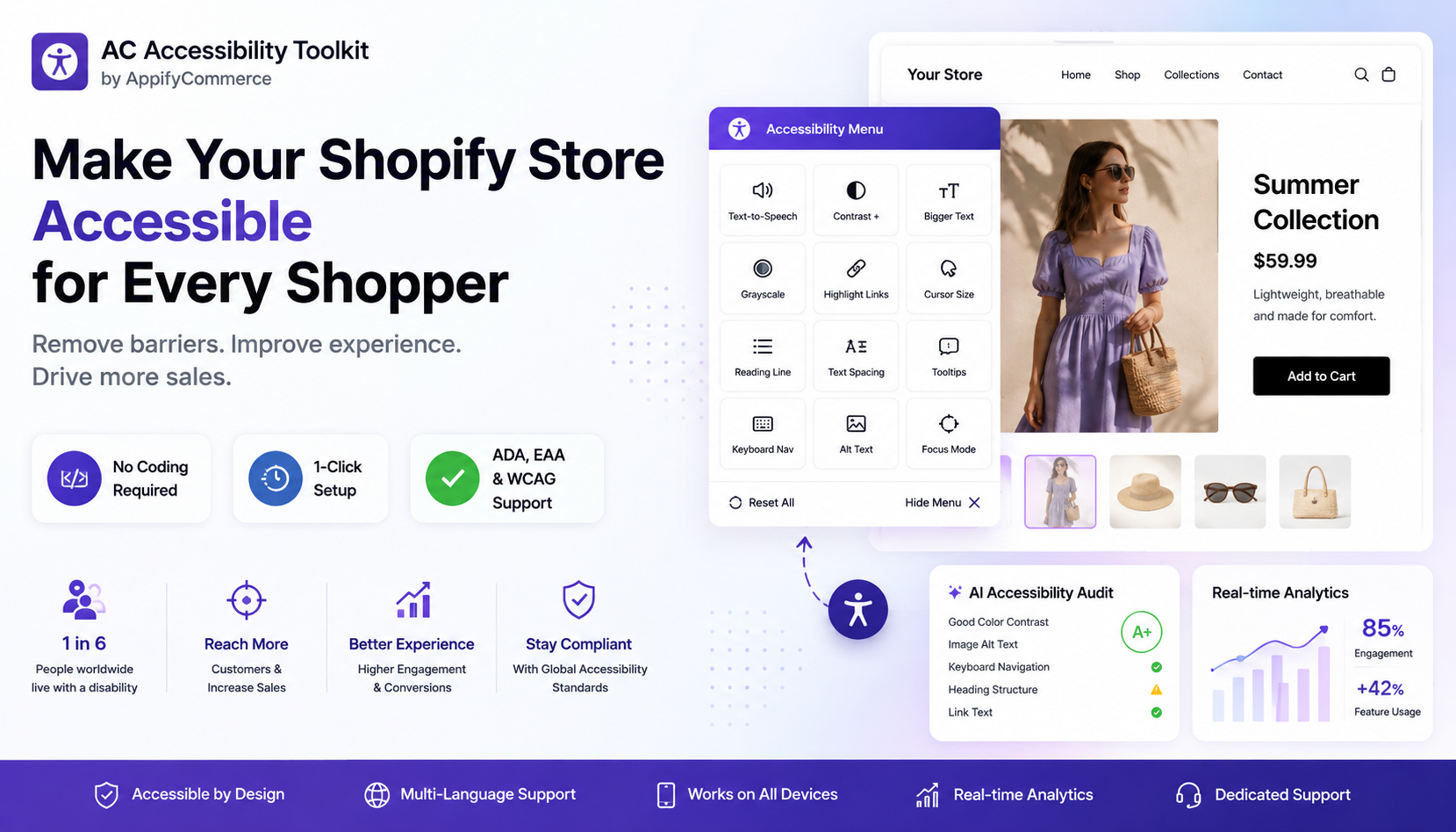
🔊 Text-to-Speech
Help shoppers consume your store's content without relying solely on visual reading.
The built-in Text-to-Speech feature can read content aloud and includes reading and navigation enhancements, making product information easier to access.
🎨 Contrast & Brightness Controls
Improve visibility with customizable contrast and brightness controls.
These options can help shoppers who have difficulty distinguishing colors or viewing standard website designs.
⌨️ Keyboard Navigation
Make navigation easier for visitors who cannot comfortably use a mouse or touchscreen.
Keyboard navigation tools help shoppers interact with important areas of your storefront using keyboard controls.
🔤 Font Size & Text Spacing
Give visitors more control over how text appears.
Shoppers can adjust font size and text spacing to make product descriptions, headings and other content easier to read.
⚫ Grayscale Mode
Some visitors may find a grayscale interface easier to view.
With Grayscale Mode, shoppers can change the visual presentation of your storefront with a simple control.
🖱️ Cursor Size
Make the cursor easier to see and follow with customizable cursor size options.
This can be particularly useful for visitors who have difficulty tracking a standard cursor.
🔗 Link Highlights
Help shoppers quickly identify clickable links throughout your store by highlighting them clearly.
This makes navigation more intuitive and helps visitors understand which elements are interactive.
📖 Reading Line
The Reading Line feature helps users focus on the content they are currently reading, making long product descriptions and pages easier to follow.
💬 Tooltips
Provide additional guidance with tooltips that make interface elements easier to understand and navigate.
🖼️ Alt Text
Alternative text is important for making images more accessible.
The toolkit includes Alt Text functionality to help address image accessibility and improve the experience for shoppers who rely on assistive technologies.
🌐 Multi-Language Support
Your customers may speak different languages, so accessibility shouldn't stop at your store's primary language.
With multi-language support, you can make accessibility tools more useful for a wider range of shoppers.
AI-Powered Accessibility Audit
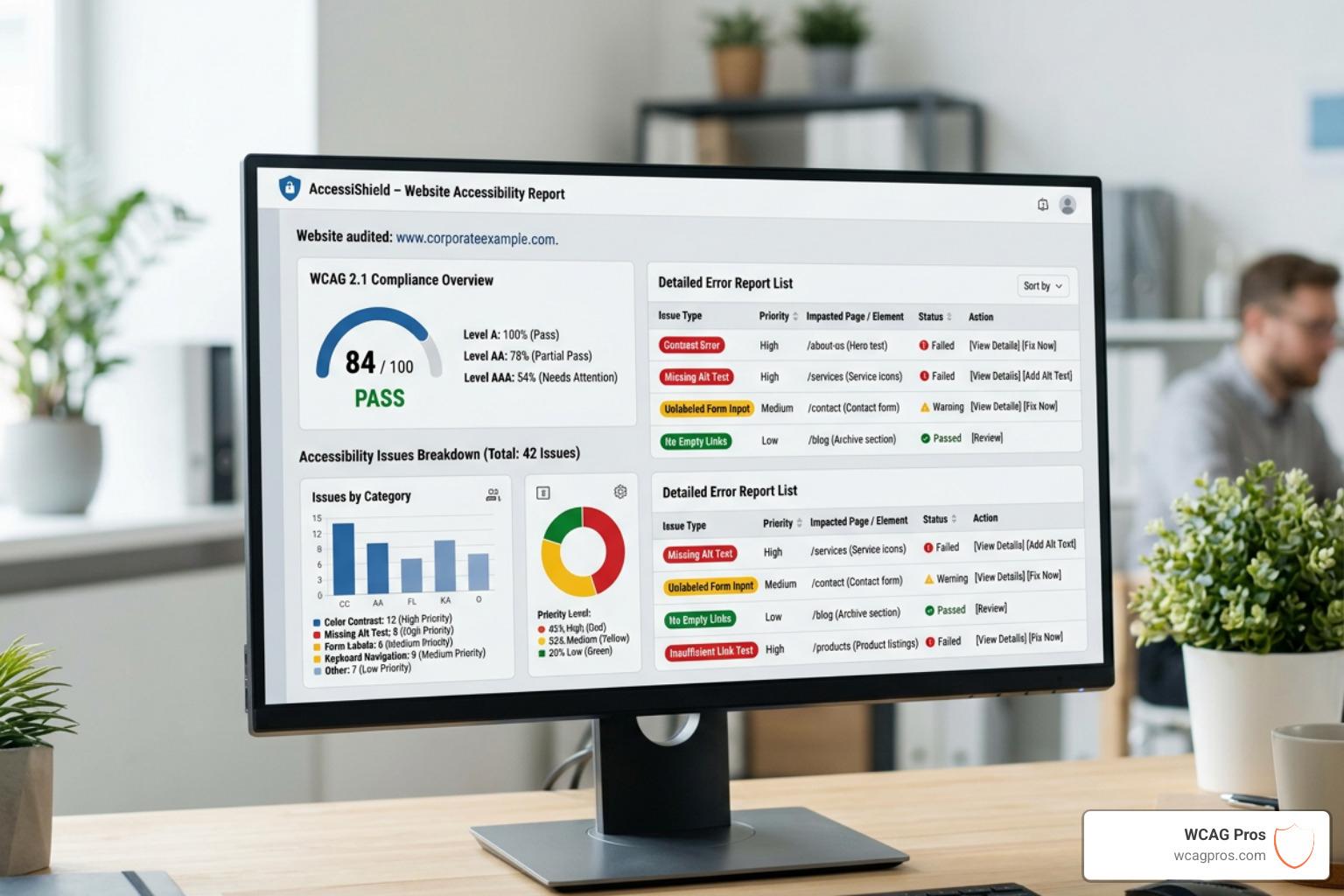
Improving accessibility starts with understanding where your store needs improvement.
The AI-powered accessibility audit helps identify potential accessibility issues and provides detailed reports so merchants can better understand their store's accessibility performance.
Instead of guessing what needs attention, you can use the audit insights to identify areas for improvement and work toward a better accessibility score.
This makes accessibility an ongoing process rather than a one-time task.
Real-Time Accessibility Analytics
Installing accessibility tools is only the first step. Understanding how shoppers use them can help you make better decisions.
With real-time analytics, you can track engagement with accessibility features and gain insights into how visitors interact with the tools available on your storefront.
This can help you:
- Understand which accessibility features shoppers use most
- Identify areas where customers may need additional support
- Measure engagement with accessibility tools
- Make data-driven improvements to your storefront
- Continuously improve the customer experience
Support for ADA, EAA & WCAG
Accessibility requirements can vary depending on your market and the regulations that apply to your business.
AC – Accessibility Toolkit is designed to help merchants work toward a more accessible storefront while supporting awareness of major accessibility frameworks and requirements, including:
ADA
The Americans with Disabilities Act (ADA) is an important accessibility consideration for businesses serving customers in the United States.
EAA
The European Accessibility Act (EAA) introduces accessibility requirements for certain products and services in the European Union.
WCAG
The Web Content Accessibility Guidelines (WCAG) provide widely used recommendations for making web content more accessible to people with disabilities.
Important: Using an accessibility app does not automatically guarantee legal compliance. Accessibility requirements depend on your business, location, website and applicable laws. Consider professional legal or accessibility advice when necessary.
Why Accessibility Matters for Shopify Stores
Accessibility isn't only about compliance.
It's about creating a better shopping experience for more people.
An accessible storefront can help you:
Reach more shoppers Remove unnecessary barriers that may prevent visitors from exploring your products.
Improve usability Give shoppers more control over text, contrast, navigation, and other elements.
Build customer trust Show customers that your brand cares about creating an inclusive experience.
Reduce friction Make it easier for visitors to browse products, understand information, and navigate your store.
Improve continuously Use AI-powered audits and real-time analytics to identify opportunities for improvement.
Accessibility Without a Complete Store Redesign
One of the biggest challenges for Shopify merchants is improving accessibility without rebuilding their entire storefront.
AC – Accessibility Toolkit provides a practical way to add accessibility-focused functionality to your existing store.
You can provide shoppers with a dedicated accessibility widget containing tools such as:
- Text-to-Speech
- Contrast
- Brightness
- Keyboard Navigation
- Tooltips
- Alt Text
- Multi-Language
- Text Spacing
- Cursor Size
- Font Size
- Grayscale
- Link Highlights
- Reading Line
The goal is simple: give shoppers more control over their shopping experience.
Make Accessibility Part of Your Customer Experience
Accessibility shouldn't be an afterthought added only when there's a problem.
It should be part of how you design the customer journey—from the moment a shopper lands on your store to the moment they complete their purchase.
With AC – Accessibility Toolkit, Shopify merchants can combine practical accessibility tools, AI-powered insights and real-time analytics to continuously improve the storefront experience.
Your customers are different. Their needs are different. Your store should be flexible enough to support them.
Give Every Shopper a Better Way to Shop
A great Shopify store isn't just visually attractive. It's usable, understandable, and accessible.
AC – Accessibility Toolkit helps you move toward a more inclusive shopping experience with customizable accessibility controls, AI-powered audits, and real-time engagement insights—all without requiring a complete store redesign.
Ready to make your Shopify store more accessible?
Ready to make your store accessible to every shopper? Install AC – Accessibility Toolkit from the Shopify App Store and start delivering a shopping experience everyone can enjoy.