140 posts tagged with "Ecommerce"

Insights and updates on ecommerce platforms and trends

View All Tags

Entrfy FAQ & Product Q&A vs AC ‑ Questions & Answers: Which One Fits in 2026?

· 6 min read
Kinnari
Chief Marketing Officer

Entrfy FAQ and Product Q&A next to AC Questions and Answers: FAQs you write versus questions shoppers ask

👉 Want shoppers' real questions answered on your product pages, free to start? Install AC ‑ Questions & Answers on the Shopify App Store →

Search the App Store for "product q&a" and Entrfy FAQ & Product Q&A shows up in the first handful of results, above us on most days. It has "Product Q&A" in the name, so it's a fair question: is it the same kind of app? Partly. Entrfy starts from FAQs you write and push out to many products at once. A Q&A app starts from what shoppers type into a box under the product. Which one you need depends on where your questions come from.

AOD Auto Tags Alternative for Shopify: One Free Rule or 100 Free Orders?

· 5 min read
Kinnari
Chief Marketing Officer

AOD Auto Tags alternative for Shopify: one free rule vs 100 free orders

👉 Tag customers and orders with as many rules as you need: Install Taggify ‑ Customer & Orders on the Shopify App Store →

Type "auto tag customers" into the App Store search and AOD Auto Tags Customer & Order usually sits at the top. It's been on the store since 2019, it has 4.7 stars from 28 reviews, and it does what the name says. We make Taggify, which competes with it, so read this knowing who wrote it. Short version: AOD limits how many rules you get. We limit how many orders we process. Which one costs you less depends on your store, not on the price tag.

Shopify Catalog Checklist: Prep Your Products and Build PDF Catalogs Buyers Actually Use (with Catlogify)

· 8 min read
Kinnari
Chief Marketing Officer

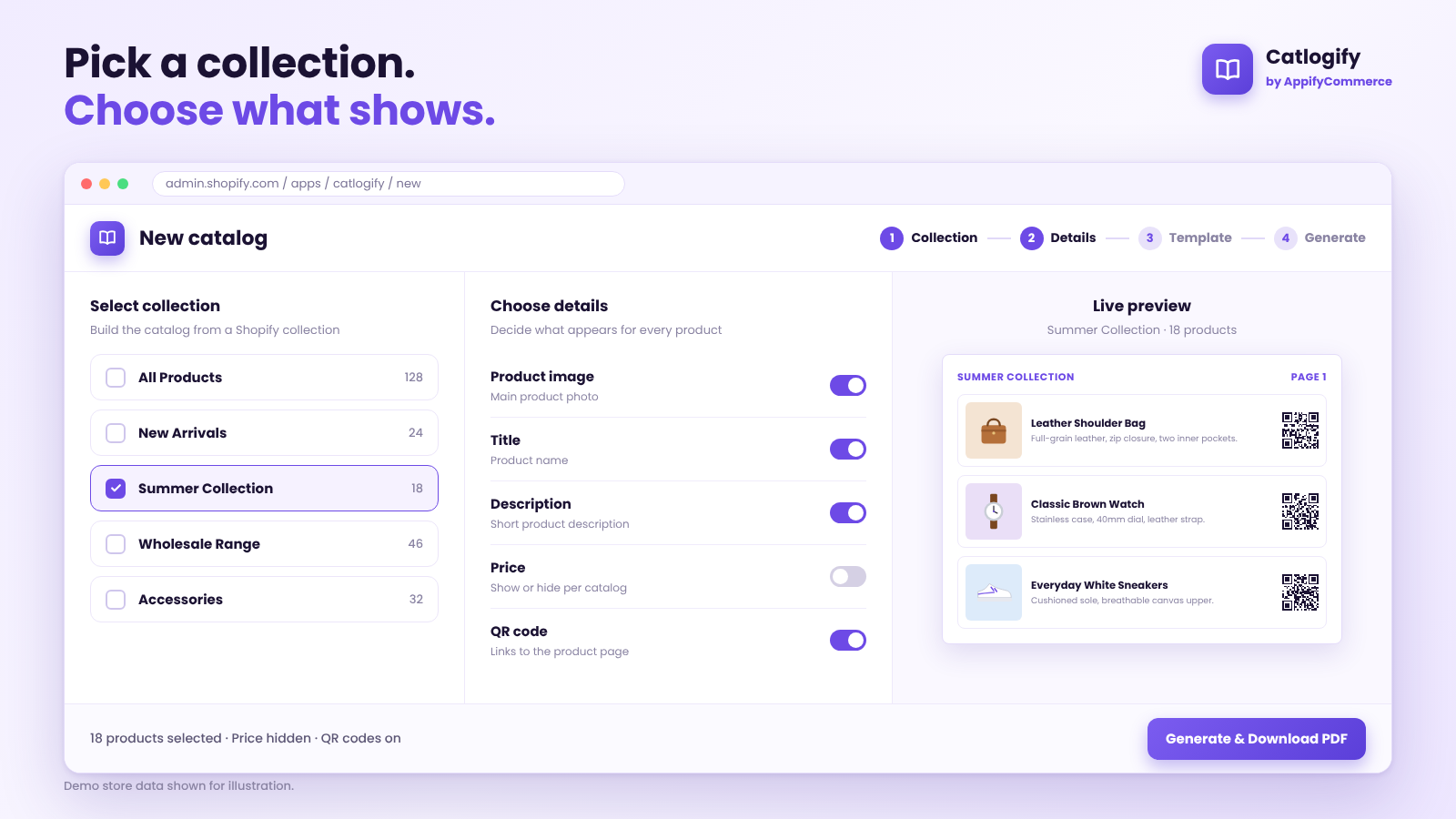
Catlogify: select a collection and choose which details appear in the catalog

Demo store data shown for illustration.

👉 Turn your Shopify collections into PDF catalogs: Try Catlogify on the Shopify App Store →

Your PDF Catalog Is Only as Good as Your Product Data​

Most merchants who need a catalog start in the wrong place. They open a design tool, pick a template and begin copying product names into text boxes.

The better starting point is your Shopify admin. Your product titles, descriptions, images and collections are already the raw material for every catalog you will ever send. If that material is messy, the PDF will be messy too, however good the layout looks.

This guide is a practical checklist for getting your store ready, then turning it into focused PDF catalogs and wholesale line sheets with Catlogify by AppifyCommerce. If you want the full feature overview first, read our Catlogify introduction. This post is about the preparation and decisions that make a catalog work.

Ez Accessibility Widget Alternative for Shopify: Three Plans, One Widget, No Audit

· 7 min read
Kinnari
Chief Marketing Officer

Ez Accessibility Widget alternative for Shopify — widget vs audit

👉 Find out what's actually broken on your store before you pick a widget: Install AC ‑ Accessibility Toolkit on the Shopify App Store →

Ez Accessibility Widget has three plans, and they list the exact same seven features. The only thing that changes as you pay more is how many visitors the widget will serve. That tells you what the product is: a well-made widget, priced by traffic. It doesn't tell you anything about whether your store has accessibility problems, because nothing in it looks. We build a competing app, so read this as an interested party's view.

From Checkout to Doorstep: A Setup Guide to WhatsApp Order Updates on Shopify With Bizify

· 7 min read
Kinnari
Chief Marketing Officer

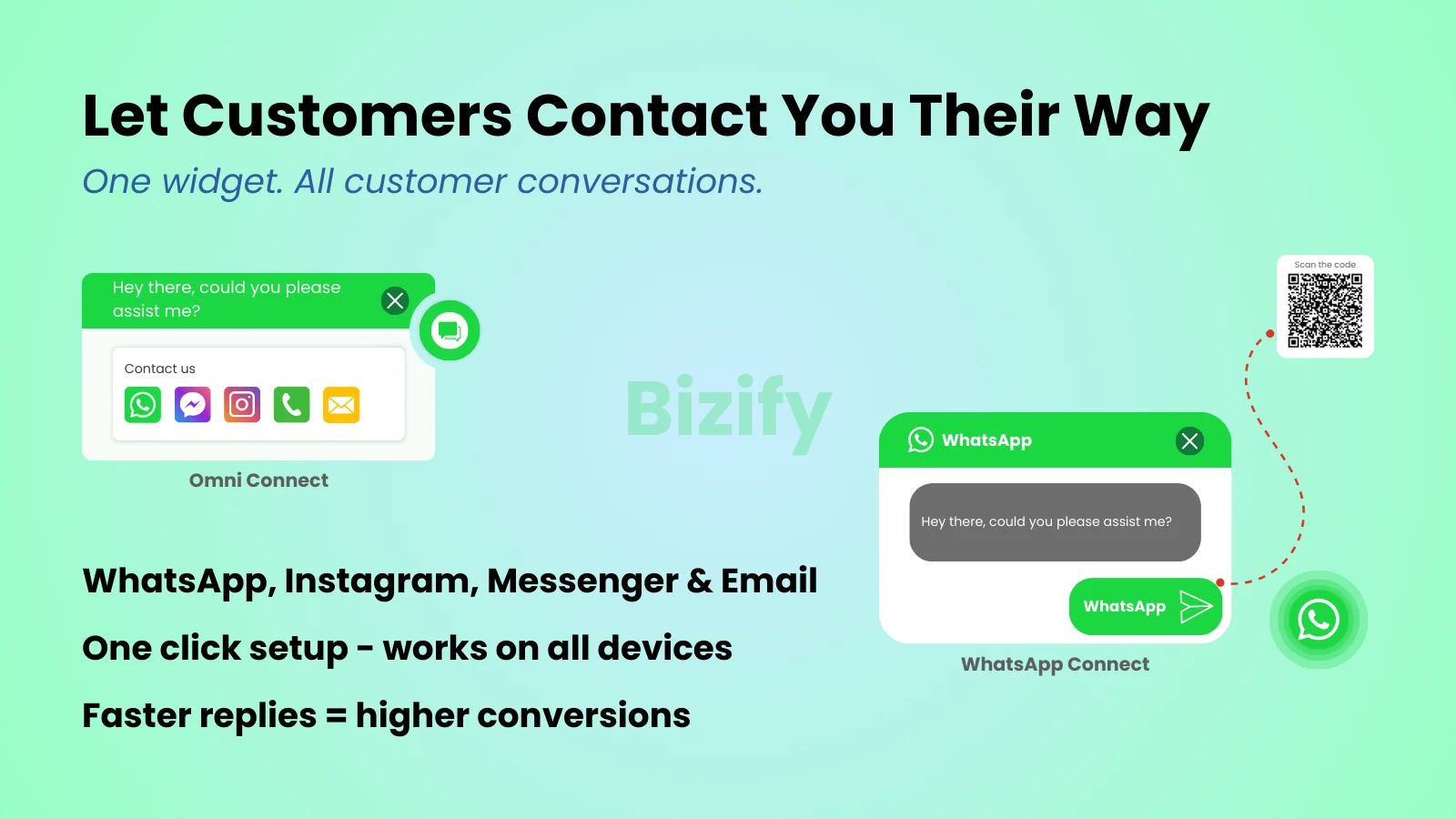
Bizify ‑ WhatsApp chat widget on a Shopify storefront

👉 Add WhatsApp chat and order updates to your store: Install Bizify ‑ WhatsApp chat on the Shopify App Store →

Many visitors leave without buying when they can't reach you quickly. After they do buy, the same people start asking where their order is. Both problems have the same fix: a fast, familiar channel that works before the sale and after it.

We've already written about why WhatsApp matters for Shopify stores and how Bizify compares with Meta's own app. This post is the practical one. It walks through what you set up, in what order, and what your customers actually see on their phones.

NG AI Search Bar & Answers vs a Product Q&A App: Which One Fits in 2026?

· 6 min read
Kinnari
Chief Marketing Officer

NG AI Search Bar and Answers next to a product Q&A app: AI answers in the search bar versus real questions on the product page

👉 Want real shopper questions on your product pages, free to start? Install AC ‑ Questions & Answers on the Shopify App Store →

Search the App Store for "product questions and answers" and NG: AI Search Bar & Answers sits near the top of the list. The name fits, but the job doesn't quite match. NG turns your store's search box into an AI salesperson. A product Q&A app does something else: it puts real questions and real answers on the product page. Before you pick either, it helps to know which problem you actually have.

Your Customers' Questions Are Free Product Research: A 30-Day Playbook for AC – Questions & Answers

· 8 min read
Kinnari
Chief Marketing Officer

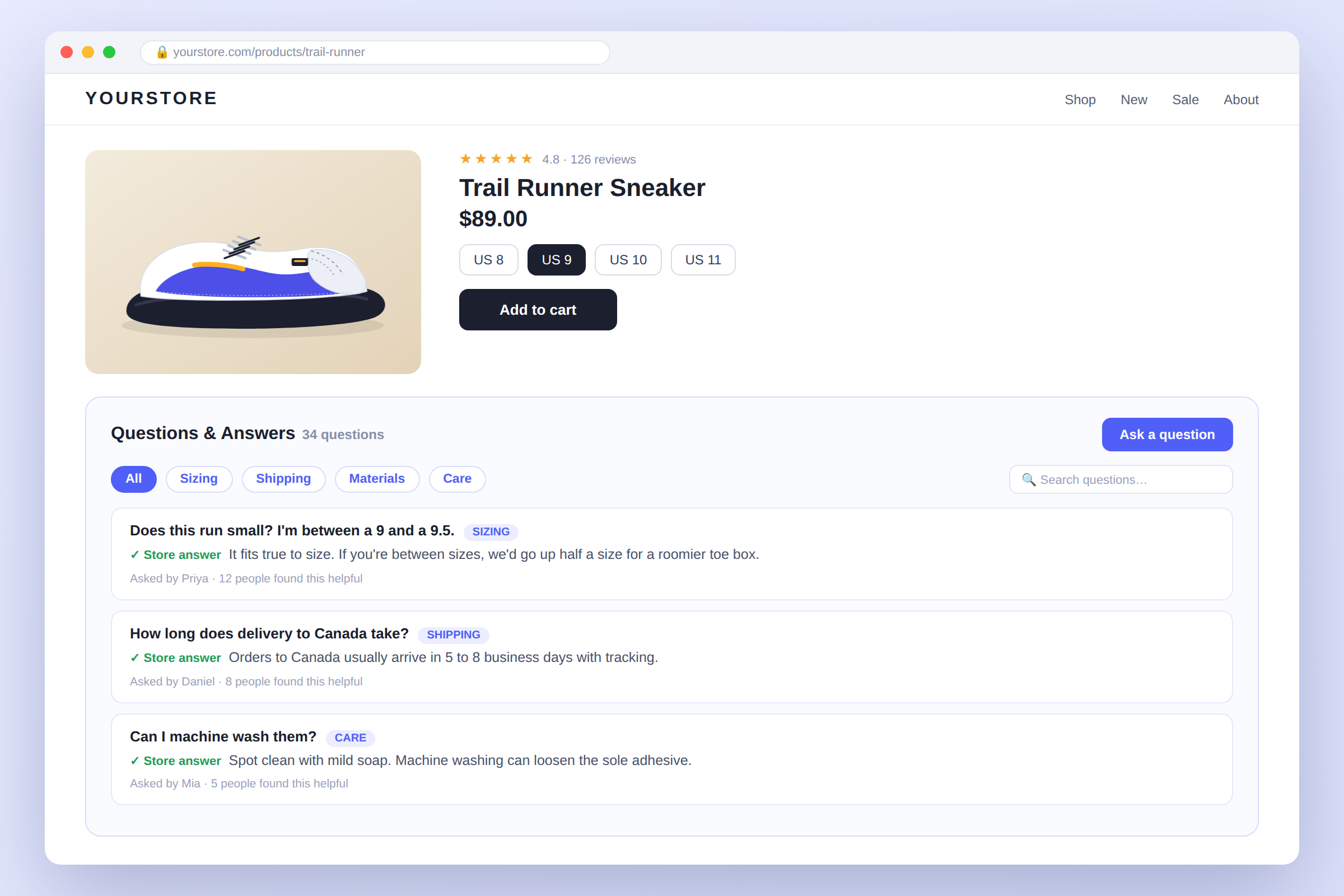
AC ‑ Questions & Answers for Shopify

👉 Give shoppers a place to ask, right where they're deciding: Install AC ‑ Questions & Answers on the Shopify App Store →

Most merchants install a Q&A app to answer shoppers. That's the obvious job, and it's a good one. The less obvious job is the one that tends to pay back longer: every question a shopper types is a free, unprompted note about what your product page failed to say.

This post is a working playbook, not a feature tour. If you want the feature-by-feature version, we already wrote the complete guide. This one is about what to do in your first 30 days with AC ‑ Questions & Answers, so the section earns its place on the page.

O: Auto Tag Order & Customer Alternative for Shopify: Count Tags or Count Orders?

· 6 min read
Kinnari
Chief Marketing Officer

O: Auto Tag Order & Customer alternative for Shopify — tags per month vs orders per month

👉 Tag orders and customers without counting tags: Install Taggify ‑ Customer & Orders on the Shopify App Store →

Search "auto tag orders" on the App Store and the first real tagging app you hit is O: Auto Tag Order & Customer, the app most people still call Omega Auto Tags. It's Built for Shopify, it has 4.9 stars across 85 reviews, and it's been around since 2017. We make Taggify, a competitor with 4.7 stars across 12 reviews, so weigh everything below knowing who wrote it. The honest short version: both apps tag orders and customers well. They just send you a bill for different things.

ADA Accessibility Widget by AP Alternative for Shopify: What Each Plan Actually Fixes

· 7 min read
Kinnari
Chief Marketing Officer

ADA Accessibility Widget by AP alternative for Shopify — what each plan actually fixes

👉 See your store's real violation list before you pay anyone to fix it: Install AC ‑ Accessibility Toolkit on the Shopify App Store →

In August 2026, 432 ADA web accessibility lawsuits were filed in the US, and 134 of those defendants had an accessibility widget running on their site when they were sued. That's roughly one in three. Keep that number in your head while you read any accessibility app listing, including ADA Accessibility Widget by AP and including ours. We build a competing app, so treat us as an interested party.

Enorm Ask a Question Alternative for Shopify: What $3.99 a Month Buys You in 2026

· 6 min read
Kinnari
Chief Marketing Officer

Enorm Ask a Question alternative for Shopify: one $3.99 plan next to a free plan and a $1.99 unlimited plan

👉 Want to test product Q&A before paying anything? Install AC ‑ Questions & Answers on the Shopify App Store →

Search the Shopify App Store for "ask a question" and one of the first organic results is Enorm Ask a question. It does one thing: a button on the product page, an email to you when someone uses it, and your answer published back under the product. For $3.99 a month, that's a reasonable deal. The question is whether one plan and one job still fit how you sell in 2026.