ZoomMaster vs. Horizon's Tap-to-Zoom: The Hover Magnifier Your Product Pages Are Missing

Install ZoomMaster App Now
Horizon Changed the Theme Game. It Still Didn't Bring Back the Magnifier.
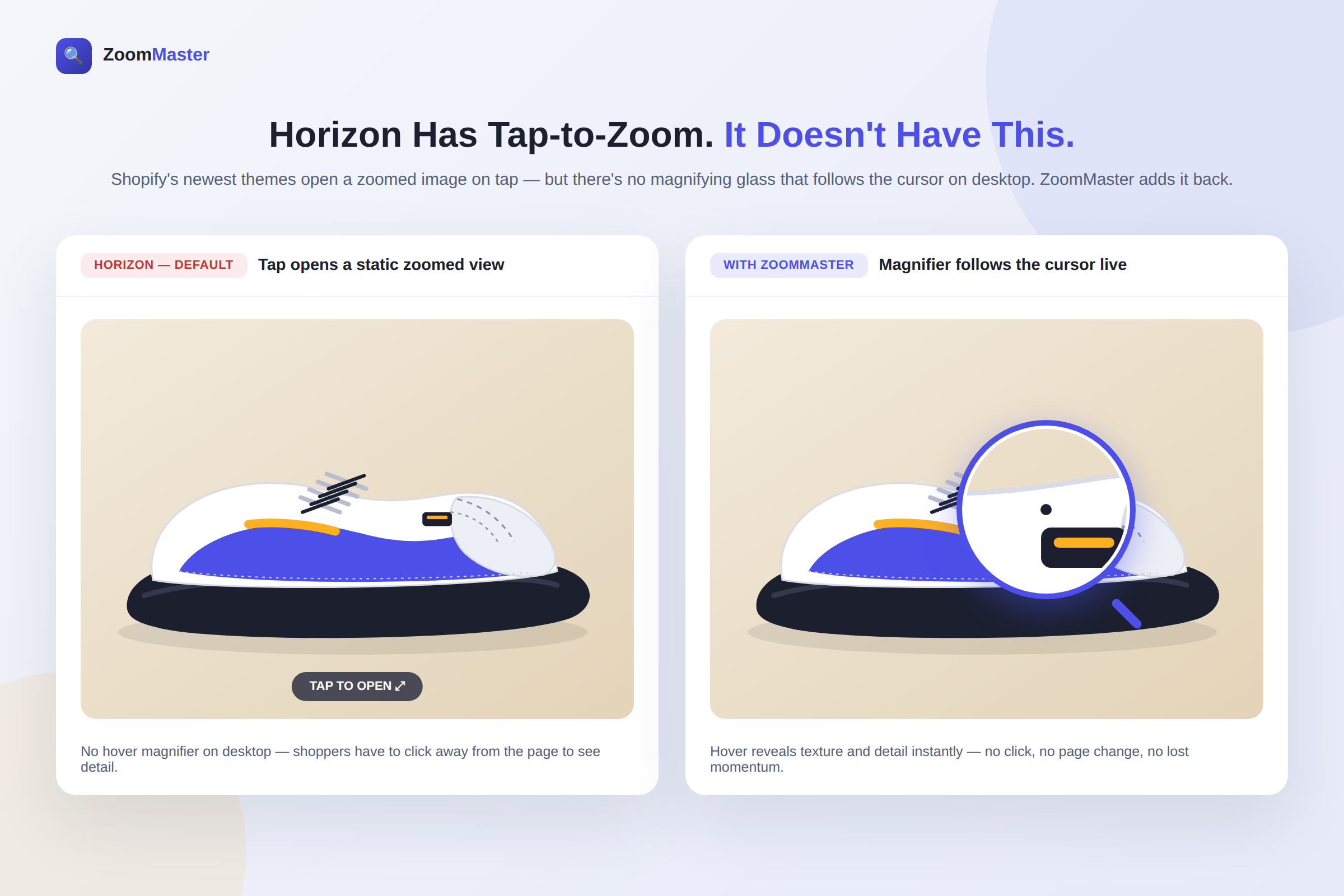
Shopify's newest theme family, Horizon, is a big step forward — cleaner layouts, faster load times and a more modern shopping experience out of the box. It even added something merchants had been asking for: tap-to-open zoom on product images.
There's just one catch. Tap-to-open zoom is a click-away experience. The shopper taps the image, a zoomed view opens, they look, then they tap back. On desktop, there's no magnifying glass that simply follows the cursor while they browse — the small, glanceable interaction that lets someone linger over a product's stitching, texture or fine print without ever leaving the page.
That gap is exactly what ZoomMaster was built to close.
The Difference Is the Hover, Not Just the Zoom
Tap-to-zoom and hover-zoom solve two different problems, and most stores need both. Tap-to-zoom is great for a quick, deliberate look on mobile. Hover-zoom is what keeps a desktop shopper's eyes on the page — they move the cursor, the magnifier follows and the detail is right there next to the product, no click required.
ZoomMaster adds that hover magnifier back on top of Horizon and its family, alongside a tap-to-zoom experience of its own for mobile. Shoppers get the immersive, no-friction interaction on desktop; touch shoppers still get a fast, tap-friendly zoom. Nobody has to choose.
What ZoomMaster Actually Does
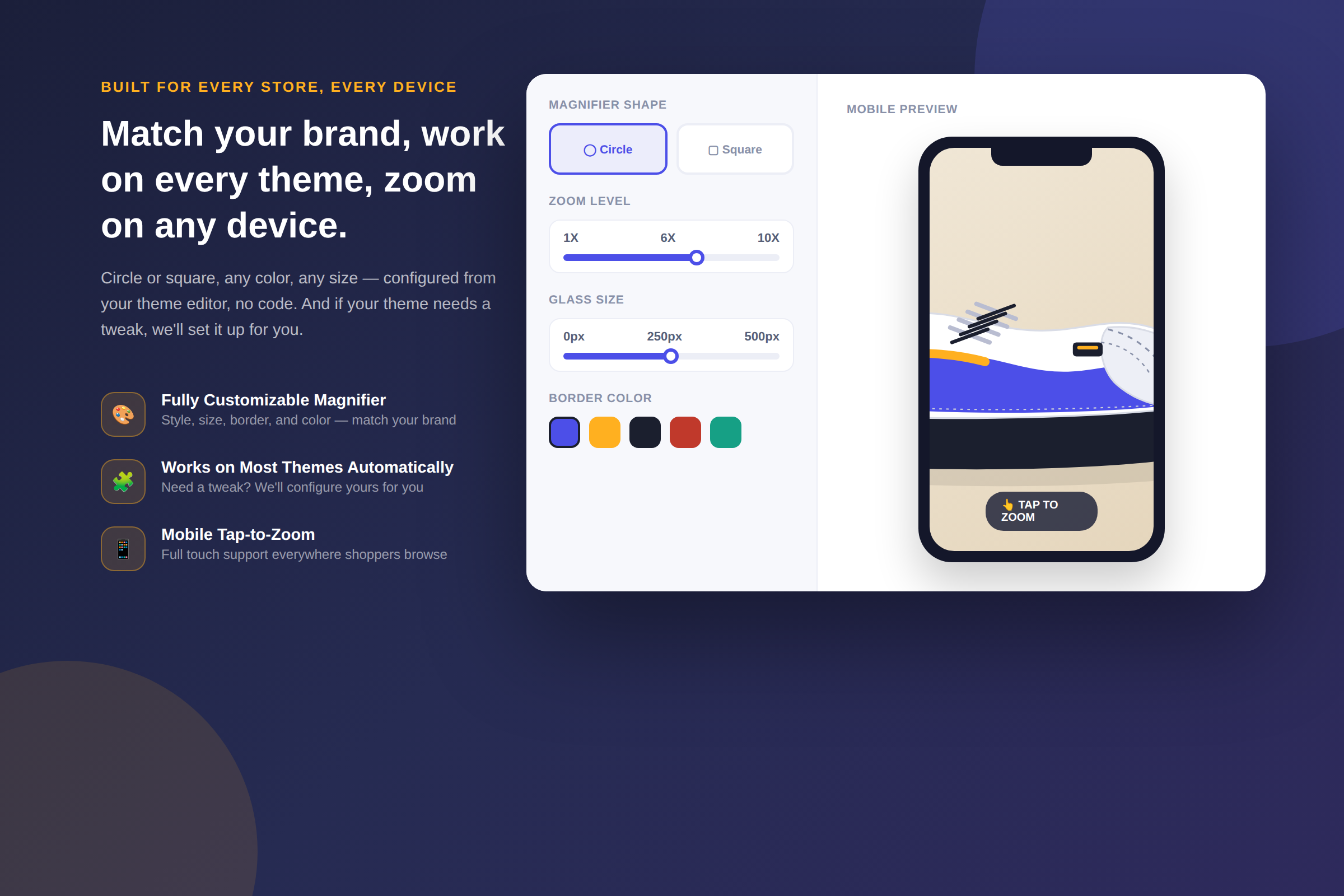
🔍 Smooth Zoom on Hover, Click or Tap – Shoppers get the interaction that fits their device: a magnifier that follows the cursor on desktop, and a responsive tap-to-zoom on mobile and tablet — all on the same product page.
🎨 Fully Customizable Magnifier – Circle or square, any border color, any size. Set it once from your theme editor to match your brand, no code required.
🧩 Works with Most Shopify Themes Automatically – ZoomMaster is built to detect and configure itself on most themes, Horizon included. If your theme needs a manual tweak, the Appify Commerce team will configure it for you.
🔎 High-Resolution Zoom, Up to Full Image Quality – The magnifier reads detail from your original product image, not a downscaled copy, so stitching, grain, engraving and fine print stay crisp instead of turning into a blurry smear.
📱 Mobile-Friendly, Everywhere – Full touch support with tap-to-zoom on phones and tablets, so the experience holds up no matter what device a shopper is browsing on.
Why the Hover Magnifier Still Matters
A shopper who can't touch a product before buying relies entirely on what the image shows them. A tap-to-open zoom asks them to make a decision — is this worth a second look? — before they even know what's there. A hover magnifier removes that decision. It's right there the moment the cursor lands on the image, encouraging shoppers to explore instead of committing to a click.
For stores selling anything where texture, craftsmanship or fine detail matters — apparel, jewelry, art, home goods, handmade products — that difference in friction can be the difference between a shopper scrolling past and a shopper adding to cart.
Setup Takes Minutes, Not a Developer
ZoomMaster installs like any other Shopify app and works automatically on most themes, including Horizon and its family, without touching a single line of theme code. Open the app, choose your magnifier shape, size, border color and zoom level and preview it live on your storefront.
If your specific theme setup needs anything adjusted, the Appify Commerce team configures it for you — so "automatic compatibility" doesn't turn into a support ticket you have to solve yourself.
Pricing
ZoomMaster is currently offered on a single, straightforward Basic Plan: $2.99/month or $24.99/year (about 30% savings), with up to 10x zoom and a 30-day free trial — plenty of time to see the effect on your own product pages before committing.
What Merchants Are Saying
ZoomMaster currently holds a 5.0-star rating on the Shopify App Store. It's a newer entrant with a small but perfect review record so far — if you're evaluating it for a Horizon or Horizon-family store, the App Store listing is worth a quick look alongside this post.
FAQ
Does ZoomMaster work with the Horizon theme? Yes. ZoomMaster is built to detect and configure itself automatically on most Shopify themes, including Horizon and its family. If anything about your specific setup needs a manual adjustment, Appify Commerce will configure it for you.
Isn't Horizon's built-in tap-to-zoom enough? Tap-to-zoom is great on mobile, but it doesn't give desktop shoppers a magnifier that follows the cursor. ZoomMaster adds that hover experience back in, while keeping a fast tap-to-zoom for touch devices.
Will this slow down my product pages? ZoomMaster loads your existing product images at full resolution only when a shopper interacts with the magnifier — it doesn't add heavy new assets to your page load.
Can I match the magnifier to my brand? Yes. Shape (circle or square), size, border color and zoom level (up to 10x) are all customizable from the app, so the magnifier looks like part of your store rather than a bolted-on widget.
Do I need a developer to install it? No. ZoomMaster is designed for no-code setup and works automatically on most themes. If yours needs a tweak, the Appify Commerce team handles it.
Turn Product Pages Into a Closer Look
Horizon raised the bar for Shopify themes — but a hover magnifier is still something merchants need to add themselves. ZoomMaster brings it back, works alongside Horizon's own tap-to-zoom instead of against it and takes minutes to set up.
✨ Give your product pages the detail they deserve — try ZoomMaster today.
💡 Need help? Our support team is here for you 24/7 — support@appifycommerce.com