How can I change the admin language?
The app's admin pages are available in 20 languages, including English, German, French, Spanish, Italian, Portuguese, Dutch, Japanese, Korean and Chinese. There are two ways to choose the language.
Option 1: Follow your Shopify language
Until you pick a language in the app (Option 2), it uses the language of your Shopify profile. To change it, click your profile picture in the bottom-left corner of Shopify, go to My Profile and pick a language from the Language list. The app follows it the next time it opens.
Option 2: Set a language for this app only
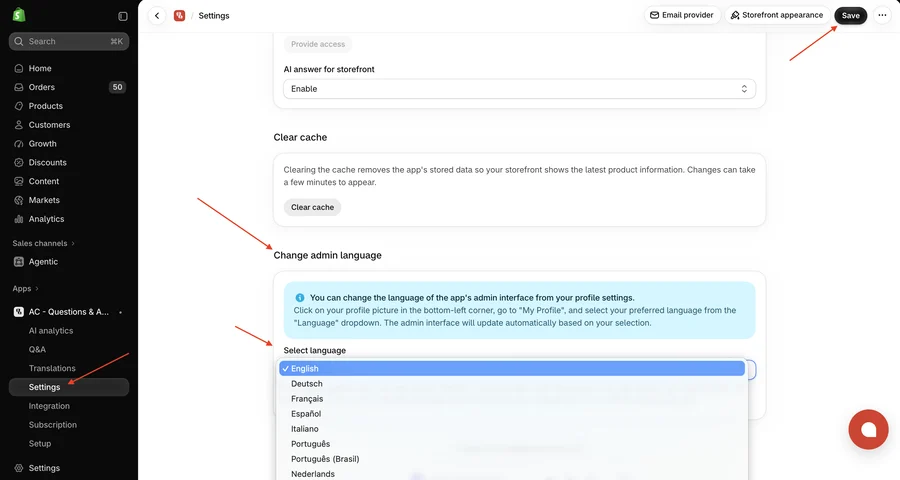
- In the app, go to Settings and find the Change admin language section.
- Pick a language from Select language.
- The app's pages switch to that language right away. You do not need to click Save.
Good to know
- This changes only the app's admin pages. Your storefront and the rest of your Shopify admin are not affected.
- The choice from Select language is saved in your current browser. On another browser or computer, the app follows your Shopify profile language until you pick one there too.
- To translate the Q&A widget your shoppers see, see How can I translate the widget into different languages?
Get the app from here for your shopify store AC - Questions & Answers