What is the AI translation feature and how does it work?
AI translation lets shoppers read your product questions and answers in their own language. When it is on, a Translate link appears in the Q&A section on your product pages. Shoppers can translate questions, answers and the AI question summary.
The feature is available on the Professional plan.
How to turn it on
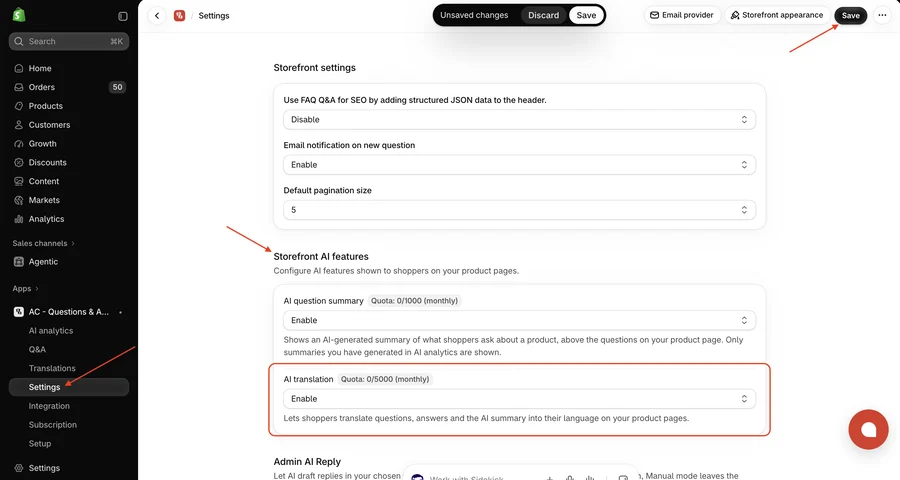
- In the app, go to Settings and find the Storefront AI features section.
- Set AI translation to Enable.
- Click Save in the top-right corner.
- Open a product page on your store and click Translate to check it.
Good to know
- Translations have a monthly quota. The badge next to the setting shows how many you have used this month.
- This translates content for shoppers only. To translate the widget's own text (buttons, labels and messages), see How can I translate the widget into different languages?
- To change the language of the app's admin pages, see How can I change the admin language?
Get the app from here for your shopify store AC - Questions & Answers