How do I filter and customize the Q&A list in AC - Questions & Answers?
AC - Questions & Answers provides built-in filter options to help you manage your Questions & Answers more efficiently.
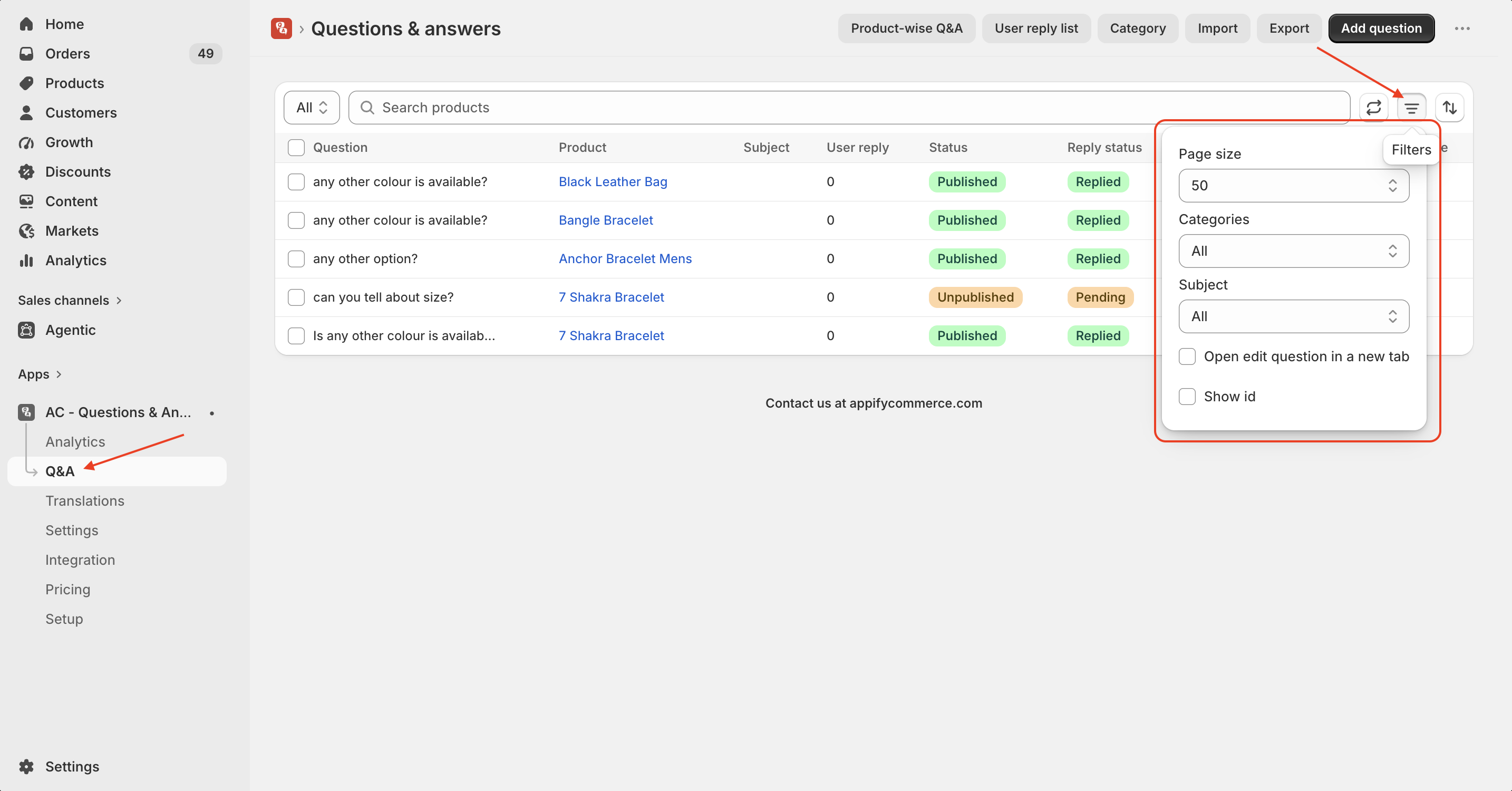
To access the filters:
-
Open the Q&A page in the app.
-
Click the Filters icon in the top-right corner.
-
Customize the list using the available options:
- Page Size – Choose how many questions to display per page.
- Categories – Filter questions by category.
- Subject – Display questions based on a specific subject.
- Open edit question in a new tab – Open the question editor in a separate browser tab.
- Show ID – Display the unique ID for each question in the list.
The selected filters are applied immediately, making it easier to find and manage your product questions.
Tip: Use categories and subject filters to quickly locate specific questions, especially if your store receives a large number of customer inquiries.
Get the app from here for your shopify store AC - Questions & Answers