How can I receive notifications on multiple email addresses when a new question is posted on AC - Questions & Answers?
You can send new question notifications to multiple email addresses by following these steps:
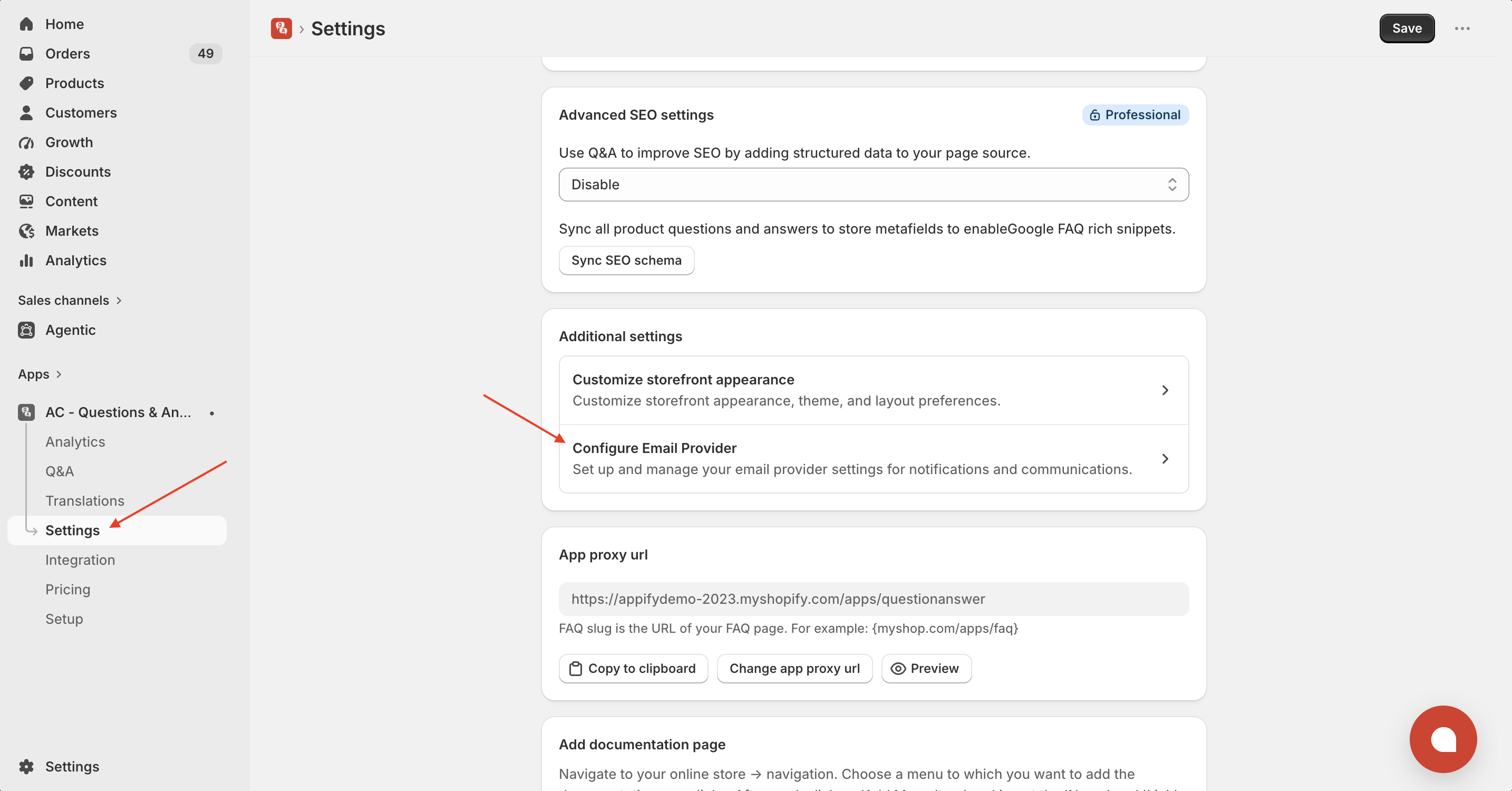
- Open Settings in the AC - Questions & Answers app.
- Under Additional Settings, click Configure Email Provider.
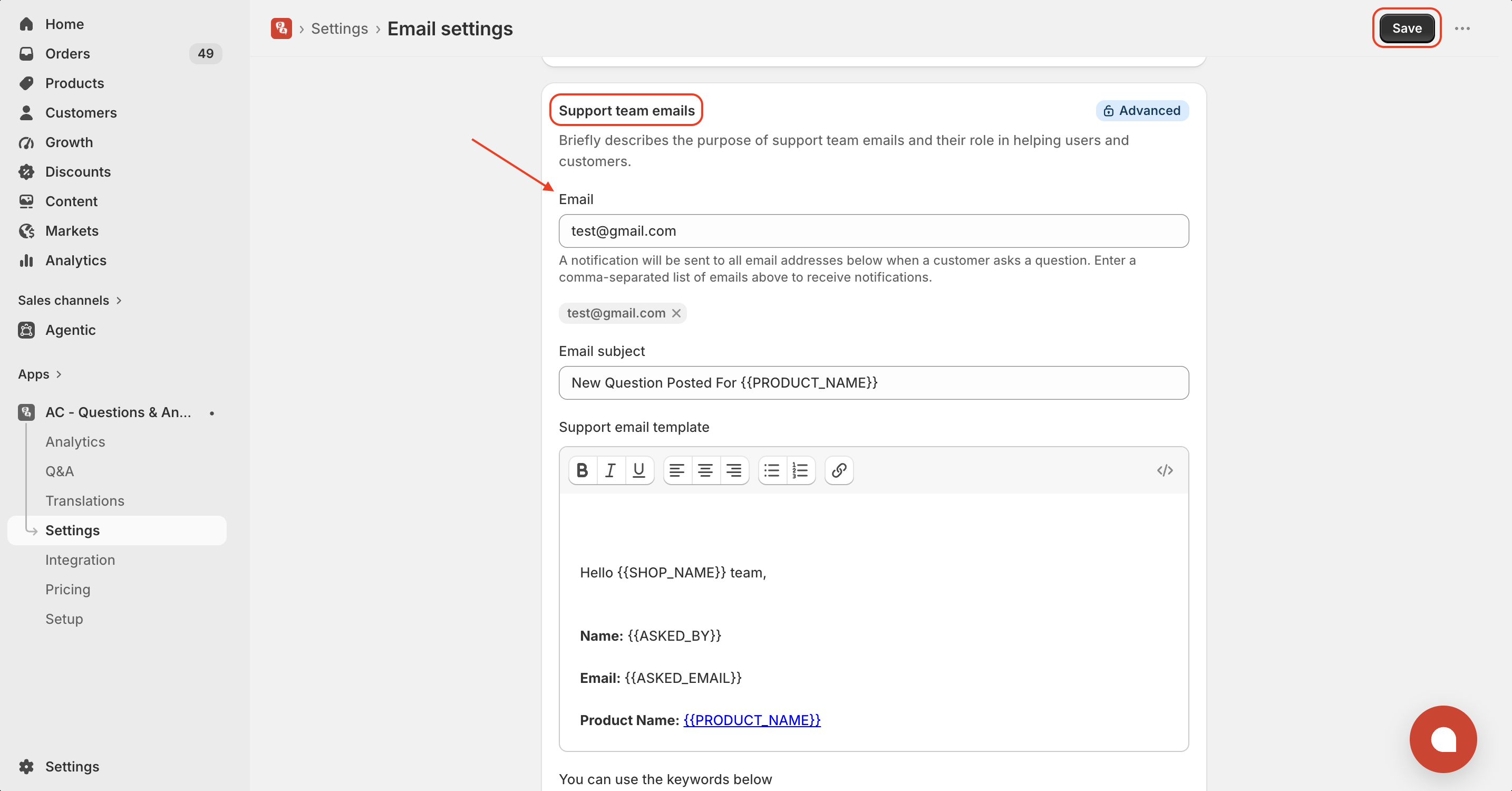
- In the Support Team Emails section, enter your email addresses separated by commas (,).
- Customize the email subject and notification template if needed.
- Click Save to apply your changes.
After saving, all the email addresses you entered will receive a notification whenever a customer submits a new question.
Tip: Make sure each email address is valid and separated by a comma to ensure notifications are delivered successfully.
Here’s an example of how your list should look: support@appifycommerce.com, notification@appifycommerce.com
Check out this tutorial here
Get the app from here for your shopify store AC - Questions & Answers