How do I view Questions & Answers for a specific product?
The Product-wise Q&A feature lets you view a summary of questions for each product and quickly access all related Questions & Answers.
To view product-wise Questions & Answers:
-
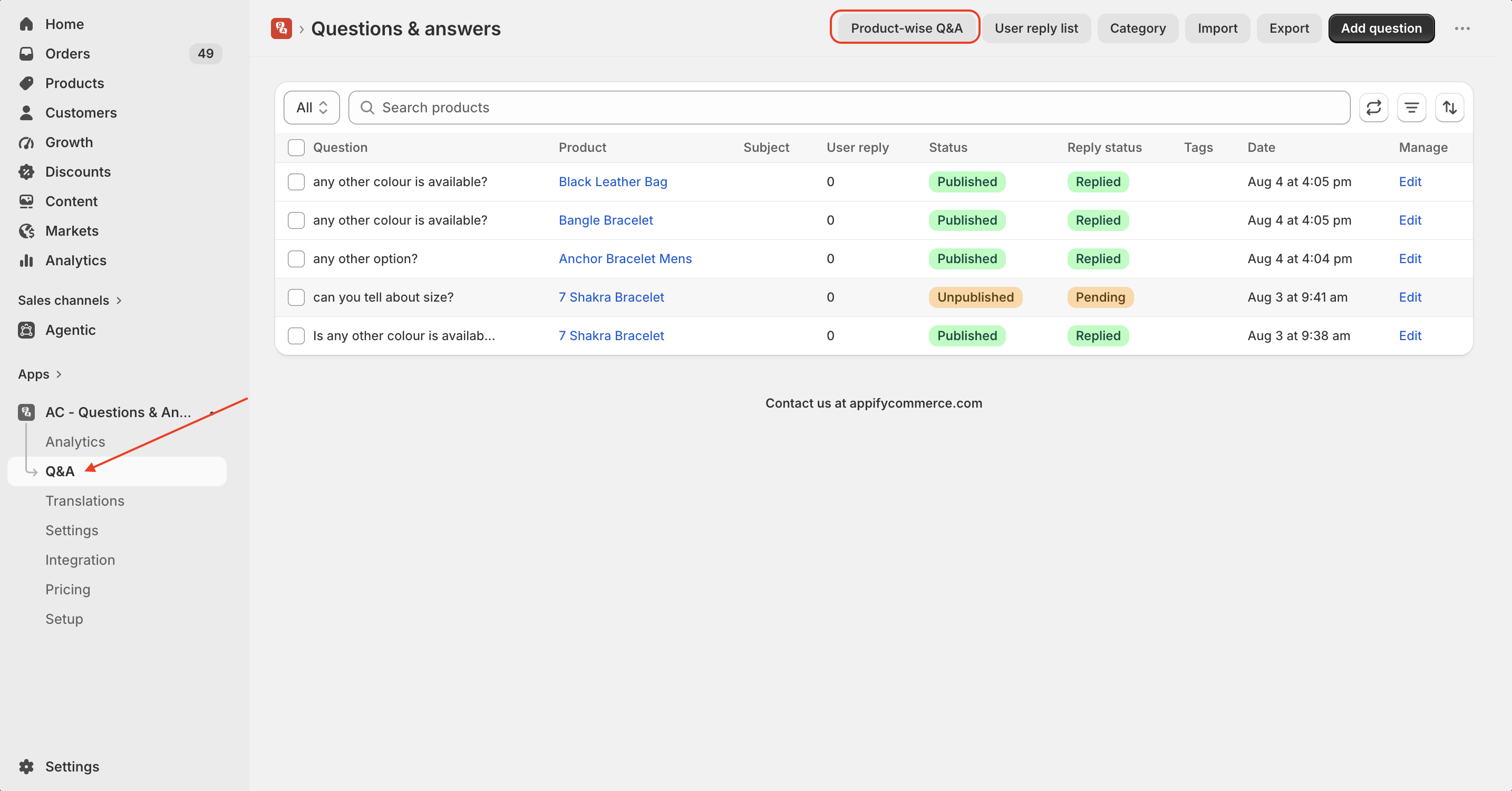
Open the Q&A page in the AC - Questions & Answers app.
-
Click Product-wise Q&A at the top of the page.
-
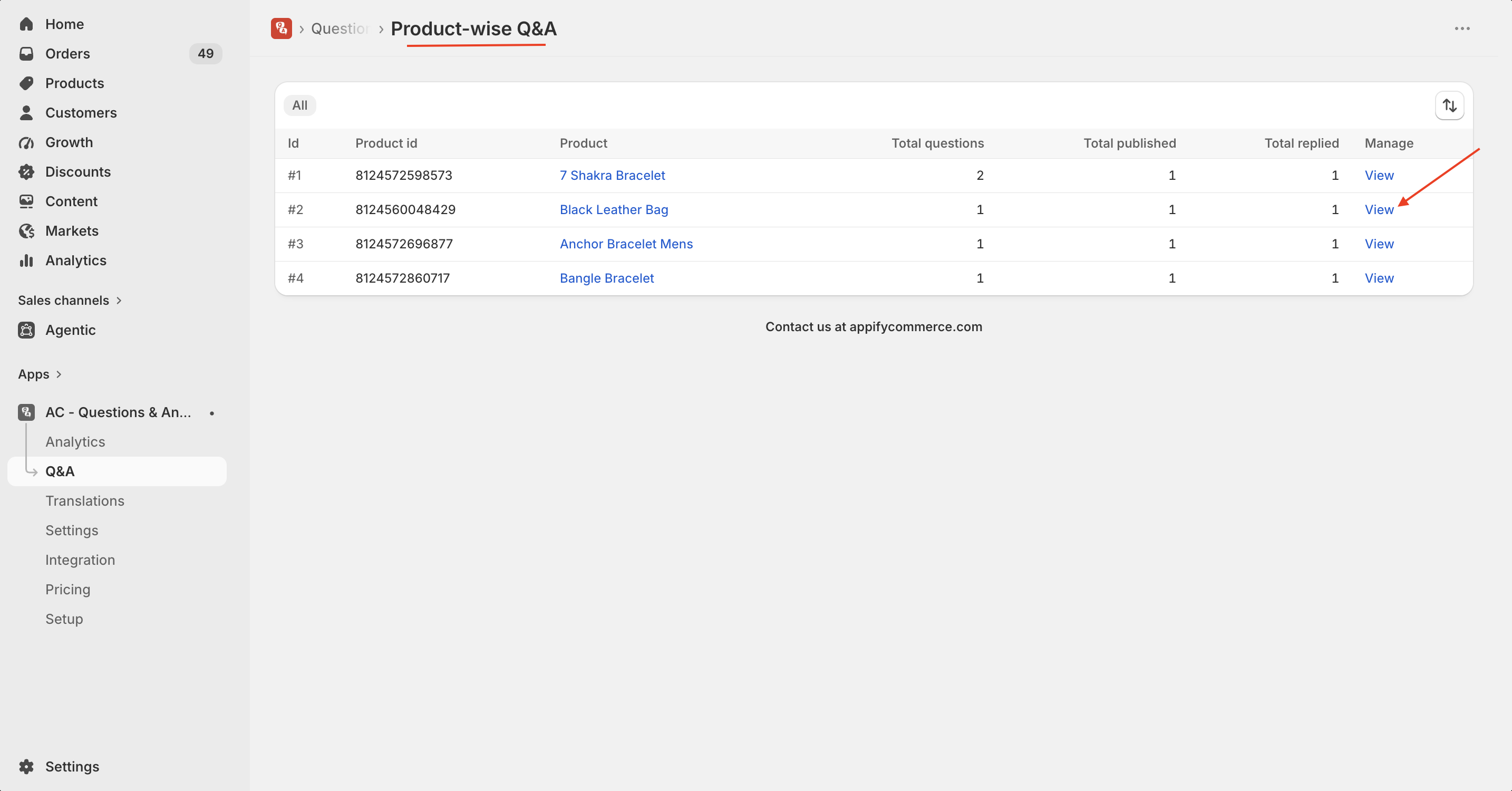
You'll see a list of all products along with:
- Product ID
- Product Name
- Total Questions
- Total Published Questions
- Total Replied Questions
-
Click View next to any product to see all Questions & Answers associated with that product.
This makes it easy to monitor customer questions, track responses and manage product-specific conversations from one place.
Tip: Use the Product-wise Q&A page to quickly identify products with the most customer questions and ensure every question receives a timely response.
If you have any further questions or need assistance, feel free to reach out!
Contact Us at support@appifycommerce.com for any queries or assistance.
Get the app from here for your shopify store AC - Questions & Answers