How to add FAQ widget on product pages using AC - Questions & Answers?
To add the FAQ widget to your product pages using the AC - Questions & Answers App, follow these steps:
-
Install AC - Questions & Answers from the Shopify App Store.
-
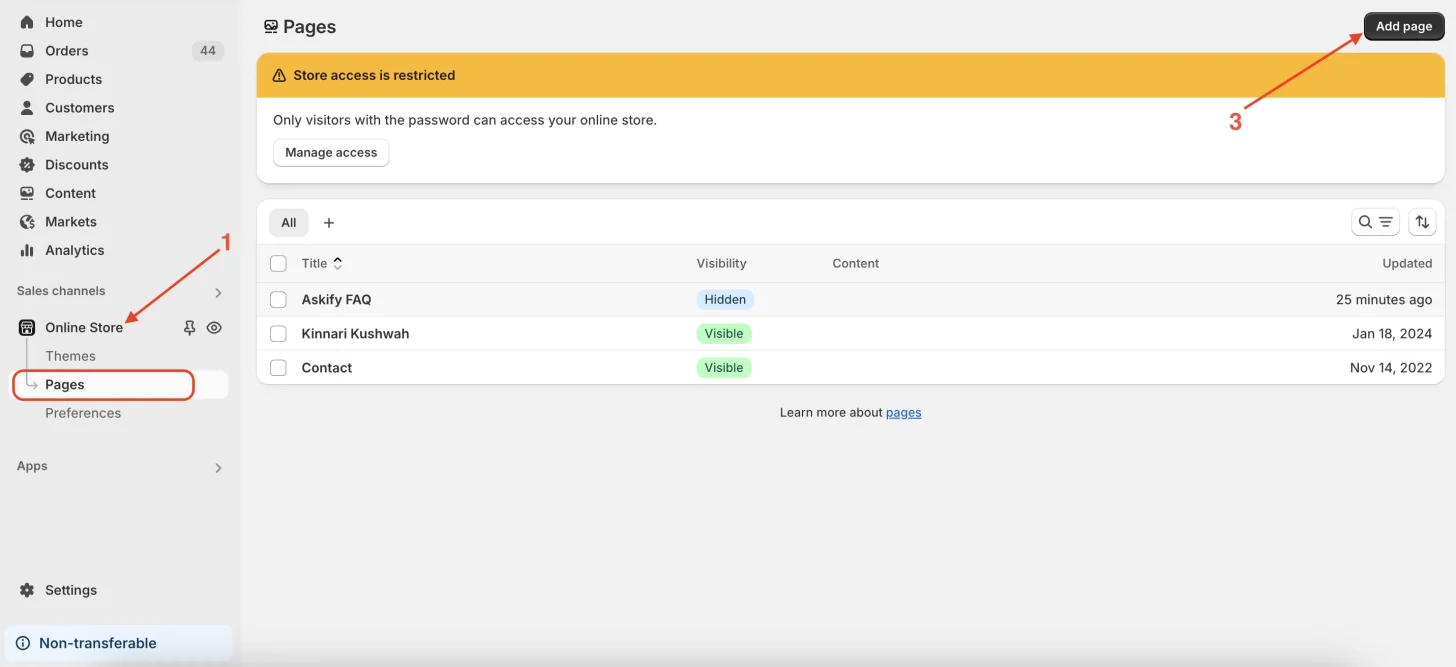
In your Shopify Admin, go to Online Store → Pages.
-
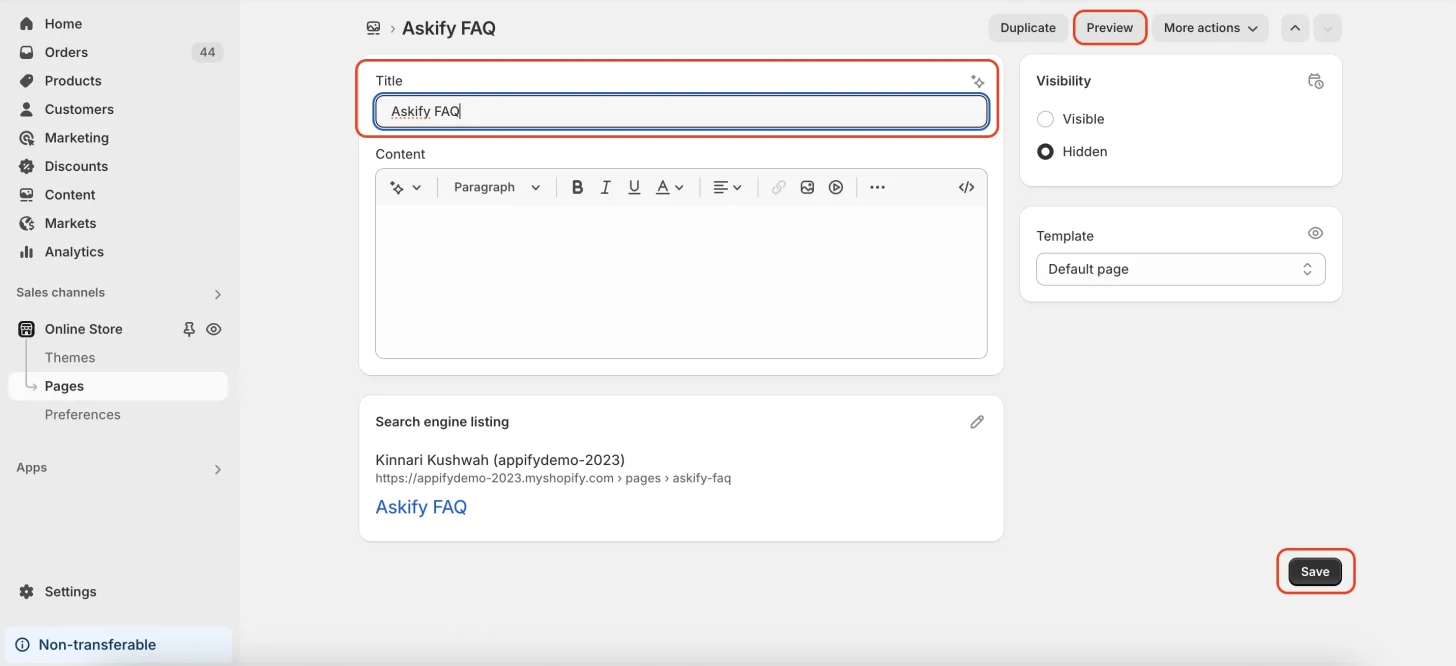
Click “Add Page”, give your page a title like “FAQ”, and make sure to click “Save.”
You can click Preview to see how the page looks.
Now go back to the AC - Questions & Answers app and on the setup screen
-
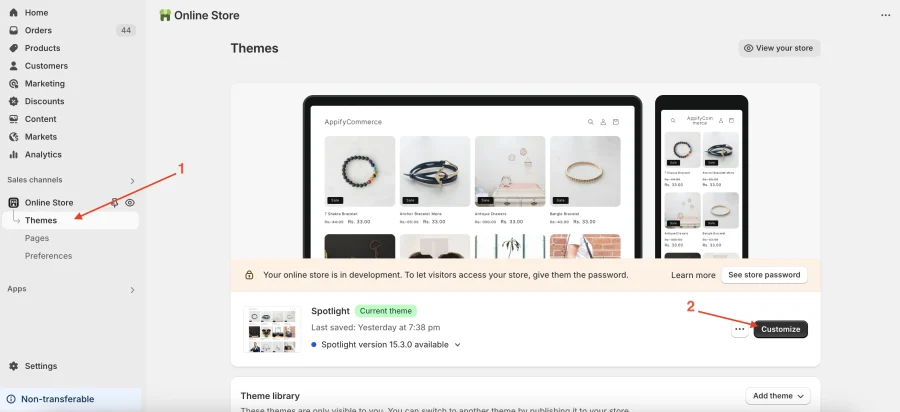
click on “Online Store", theme > Click “Customize Theme.”
-
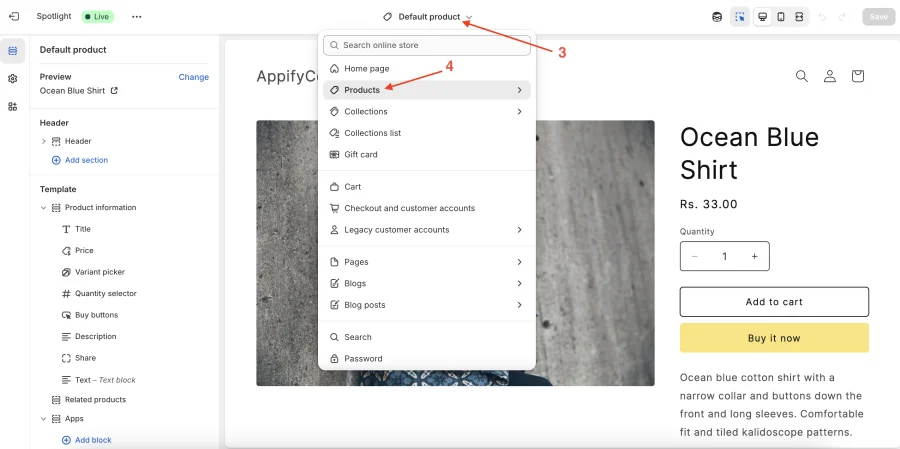
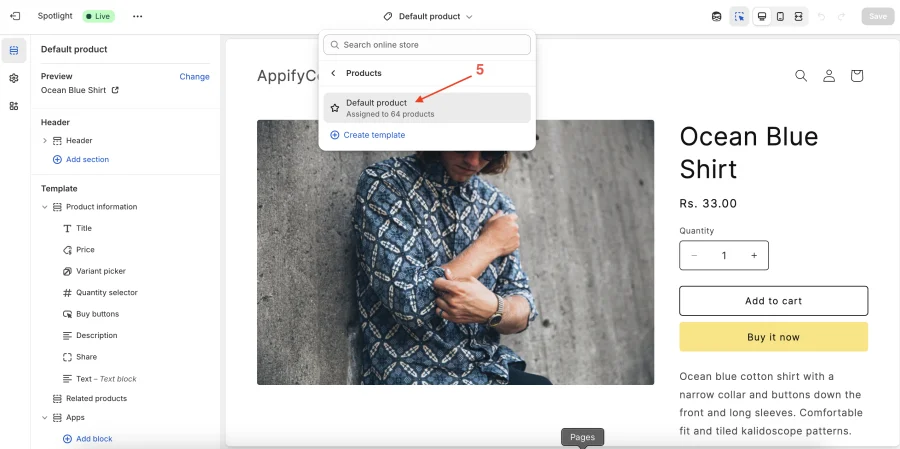
In the theme editor, choose the “Product” template (e.g., Default Product).
-
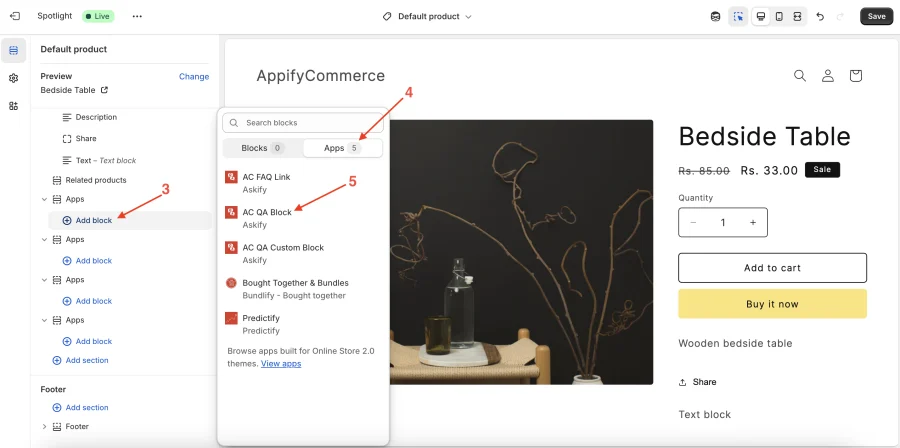
In the left panel, click “Add block” → select “Apps.”
-
Choose and add the block named “AC QA Block.” then Save your changes.
That’s it! Your FAQ widget will now appear on your product pages, allowing customers to view and ask questions directly.
Adding the widget to blog posts and other pages
The same “AC QA Block” can be added to your blog posts, home page, regular pages, and collection pages — not just product pages.
-
In the theme editor, switch the template at the top of the screen to the one you want (for example Blog post for your articles).
-
Click “Add section” → select “Apps”, then choose “AC QA Block”, exactly as you did for the product template.
-
Open the block’s settings and turn on the FAQ block checkbox. Save your changes.
On a product page the widget shows the questions asked about that particular product. On a blog post — or any other page that isn’t a product page — there is no single product to tie the questions to, so the widget lists the questions from across your whole store and shows the product name under each one. Turning on the FAQ block setting gives you the layout designed for that, which is why we recommend it here.
Everything else works the same: shoppers can search, sort, and ask a new question straight from the blog post.
Get the app from here for your shopify store AC - Questions & Answers