How can I add a question using the AC - Questions & Answers app?
To add a question in the app, follow these steps:
-
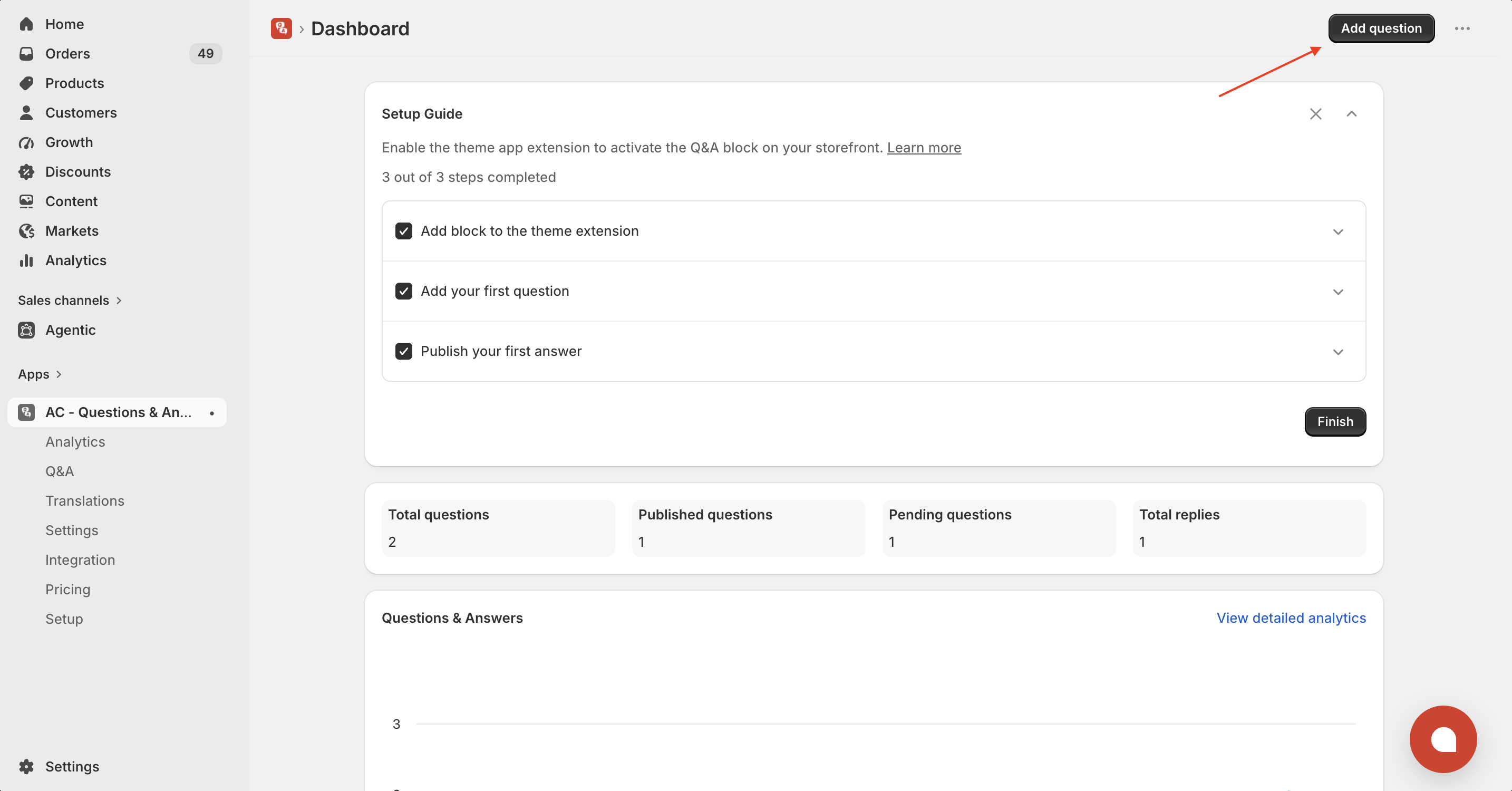
Go to your AC - Questions & Answers Dashboard.
-
Click on the “Add Question” button.
-
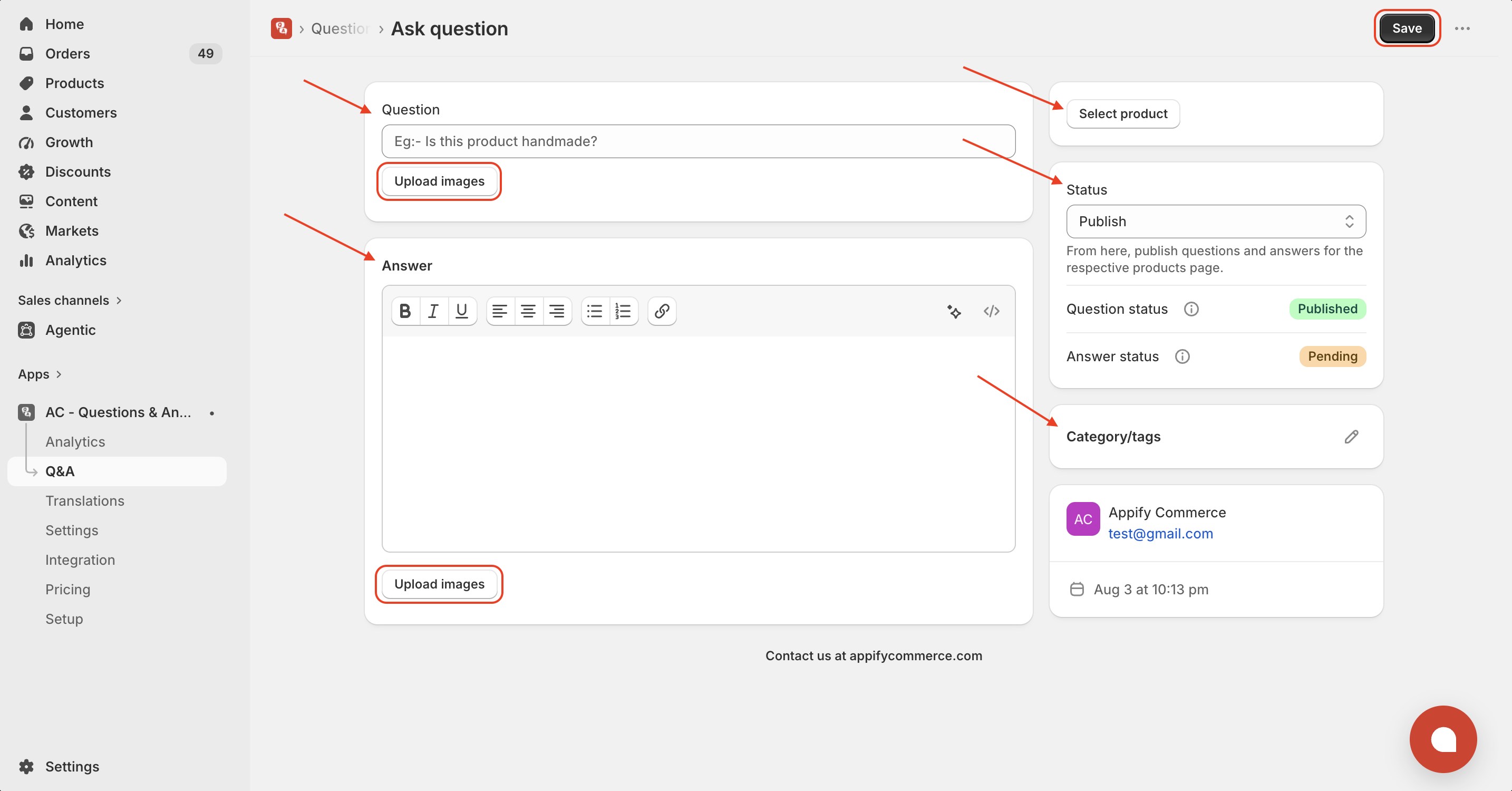
Fill in the required details:
- Question (with or without an image)
- Answer (optional and can include an image)
- Select Product to associate the question with
- Choose the Status (Published & unpublished)
- Add relevant Category/Tags for better organization
Once done, click Save to add the question to your store.
Get the app from here for your shopify store AC - Questions & Answers