How do I set up Bizify on my website?
Setting up Bizify on your website is quick and easy. Follow these steps:
- Sign up at apps.appifycommerce.com and log in to your dashboard.
- Open Bizify - WhatsApp Chat (it is free) and go to the Tracking code tab, then add your website URL.
- In Apperance, enter the Whatsapp number you want customers to reach you on.
- Enter the Message shown in the chat bubble and pre-filled in WhatsApp, then pick a theme, image and position.
- Click Save.
- Back in Tracking code, copy the script snippet for your site.
- Paste it just before the closing
</body>tag of your website.
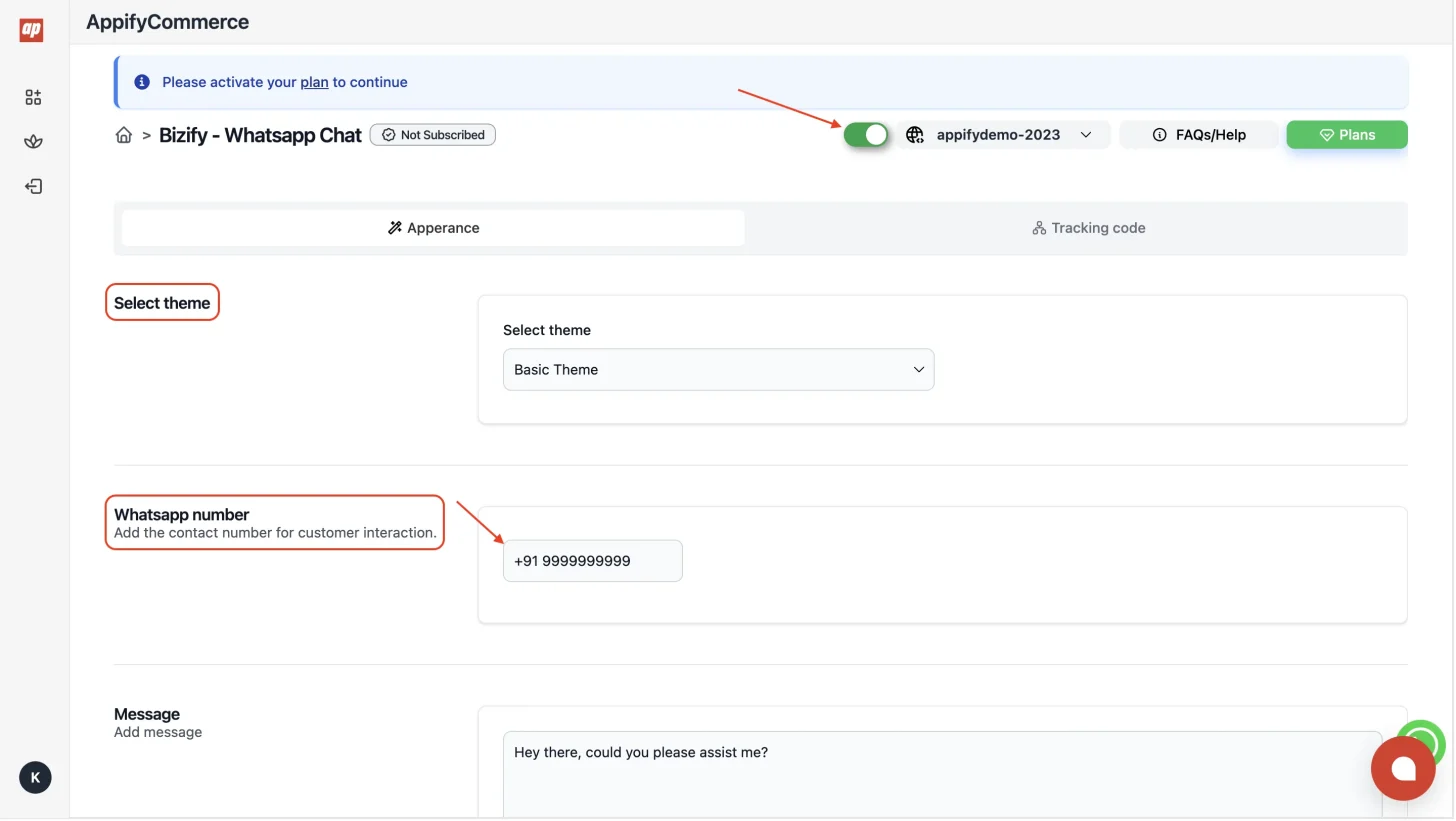
Once installed, the WhatsApp chat widget will appear on your website, allowing visitors to start a conversation with you directly on WhatsApp.
tip
You don't need a specific platform — Bizify works on any website including WordPress, Wix, Squarespace, custom HTML sites, and more.