How do I limit try-ons per visitor?
You can easily control how many virtual try-ons each visitor can perform by adjusting the session settings.
Go to Settings → Rate Limiting in the app and pick a value from the "Try-ons per session" dropdown:
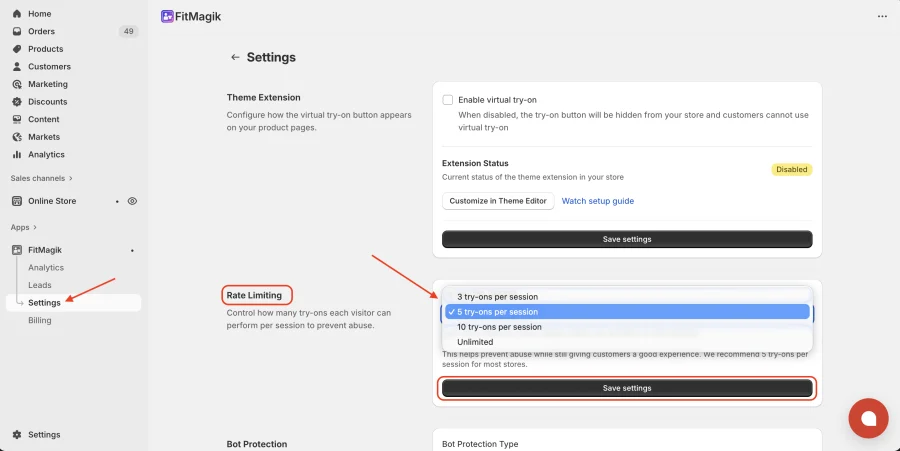
- 3 — up to 3 try-ons per shopper per day
- 5 — up to 5 try-ons per shopper per day (recommended for most stores)
- 10 — up to 10 try-ons per shopper per day
- Unlimited — no daily cap per shopper (each try-on still uses 1 of your monthly allowance)
Click Save settings to apply. This helps you manage usage effectively while still offering a smooth try-on experience for shoppers.
Your plan sets the starting value (Free 3, Starter 5, Growth 10, Pro unlimited); changing plans resets it to that default.
Get FitMagik app for Shopify store from here FitMagik