How can I install and add the FitMagik virtual try-on button to my Shopify product pages?
Installing FitMagik on your Shopify store is quick and requires no coding. Follow these simple steps:
-
Install the FitMagik app from the Shopify App Store.
-
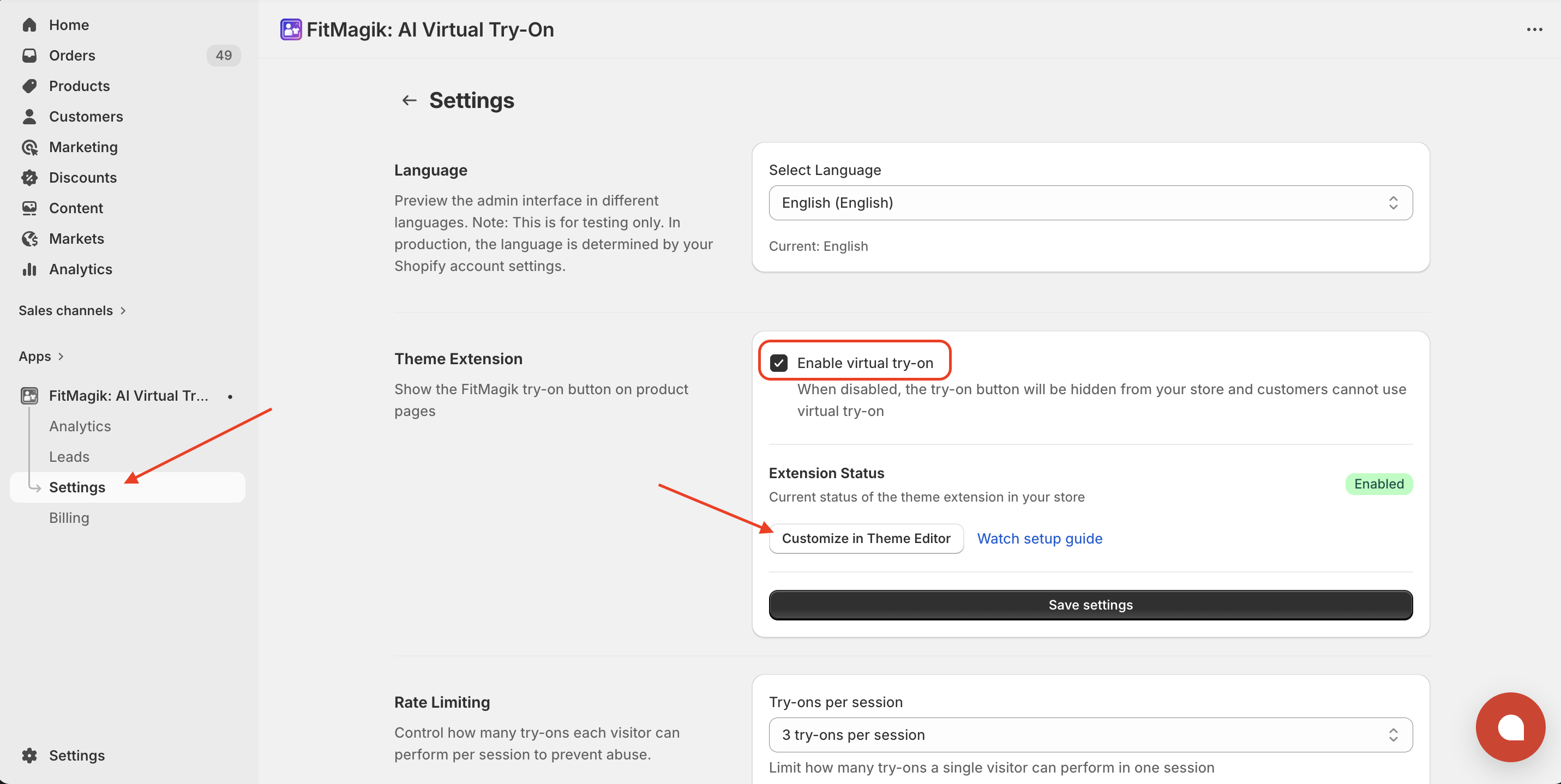
Open the app — you’ll see the Getting Started checklist on your dashboard.
-
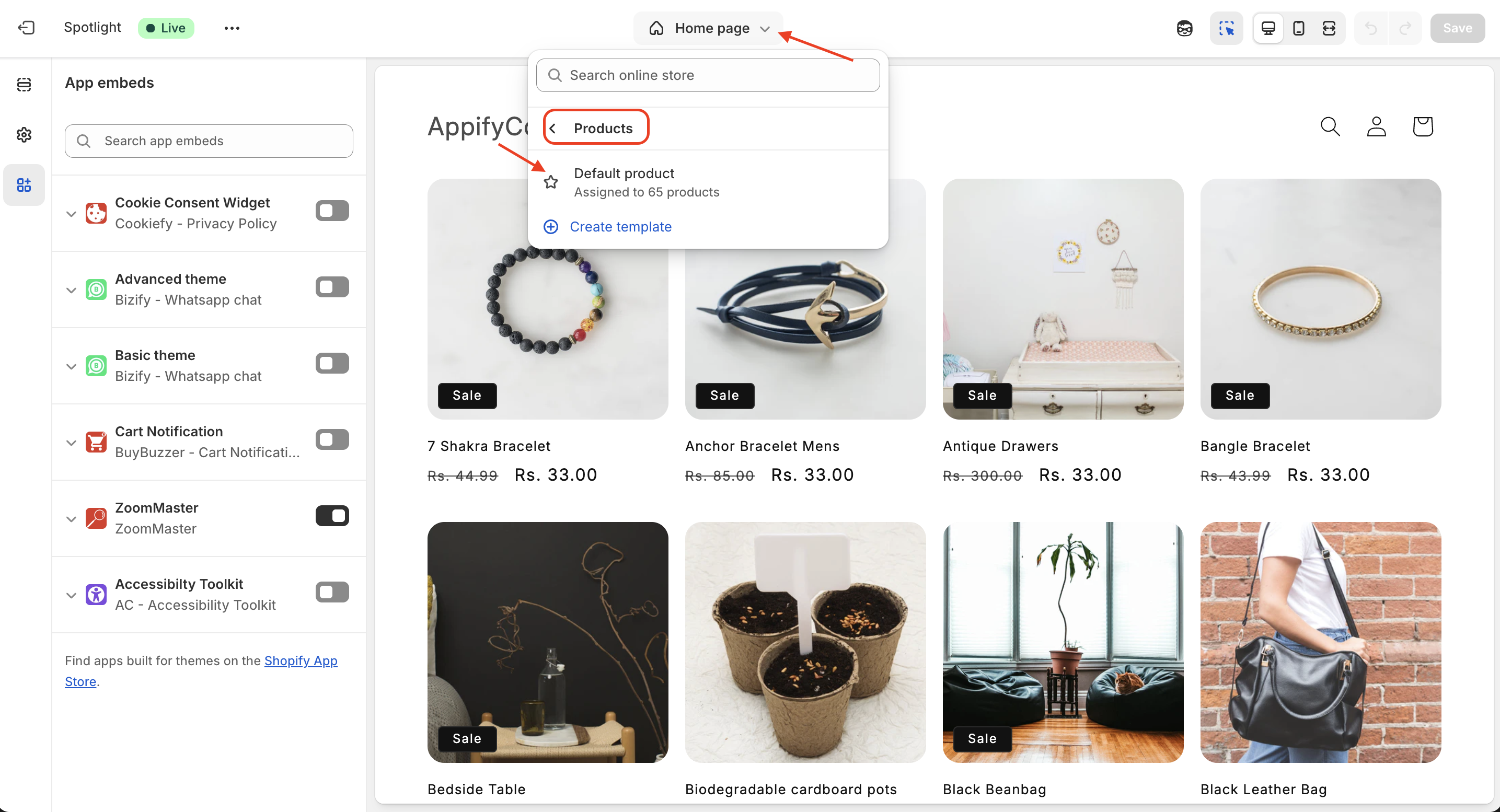
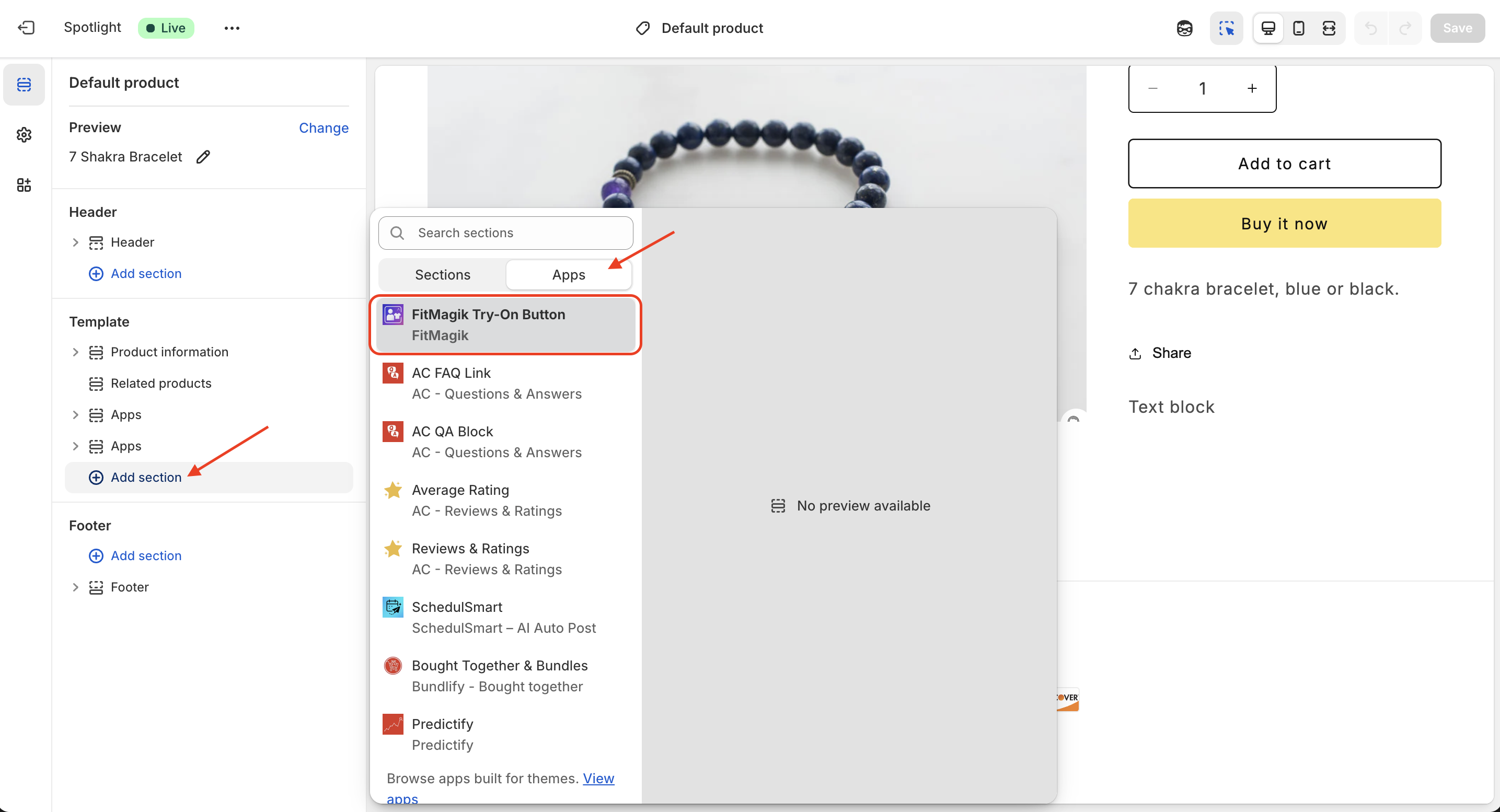
Click the “Add to Theme” button — this opens the Theme Editor with the FitMagik block ready to add.
-
In the Theme Editor, click Save to activate the try-on button.
-
That’s it! Visit any product page on your store to see the “Try It On” button.
Tip: The dashboard automatically detects when you’ve added the block — you’ll see a green checkmark on Step 2 once it’s active.
Setup Video
Get FitMagik app for Shopify store from here FitMagik