How can I make the ZoomMaster app to identify desired images in my customized Shopify store theme?
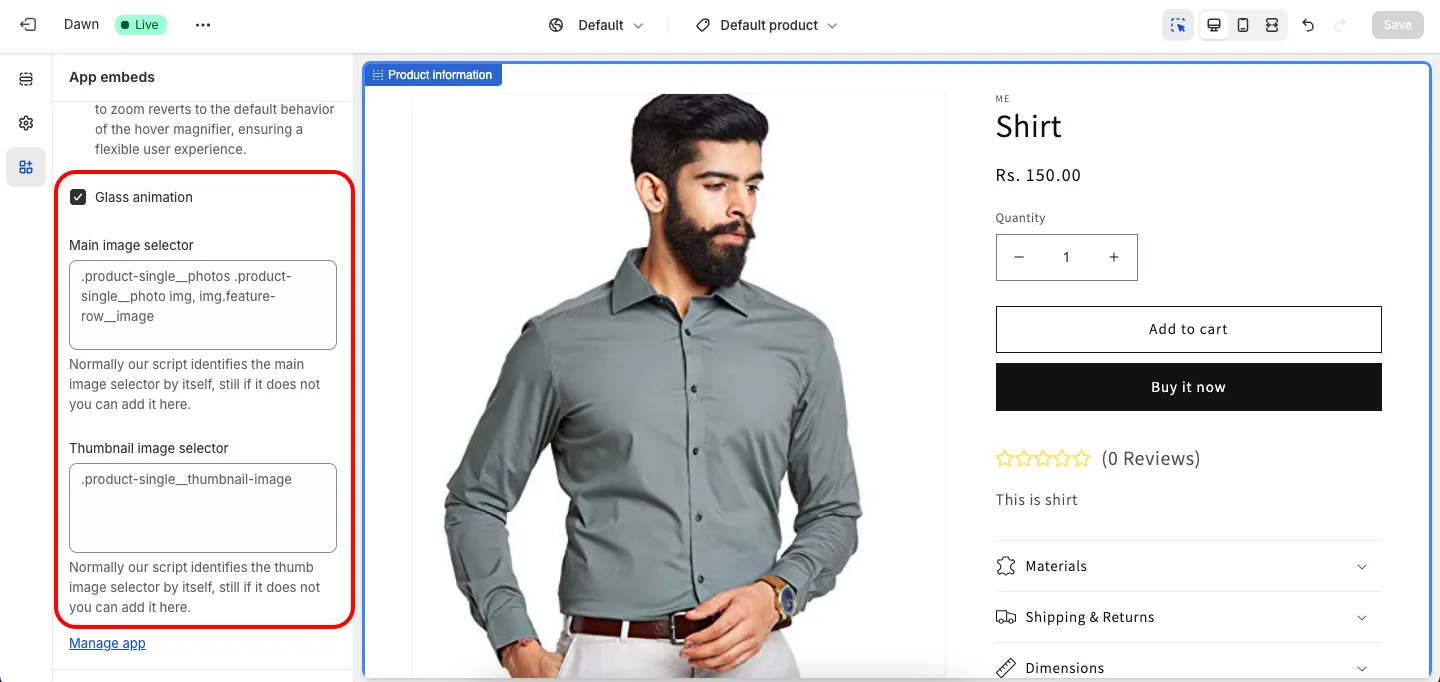
Normally our script identifies the main image and thumbnail image selectors by itself. If it does not, open the Theme Editor, go to App embeds > ZoomMaster, scroll to near the bottom and fill in Main image selector and Thumbnail image selector (CSS selectors), then click Save. If you use tap to zoom, the same panel also has an Image selector for tap to zoom field. For a better understanding refer to the given below screenshot.
Get ZoomMaster app for Shopify storefrom here ZoomMaster