Can I change the type of Magnifier in ZoomMaster App for my Shopify store?
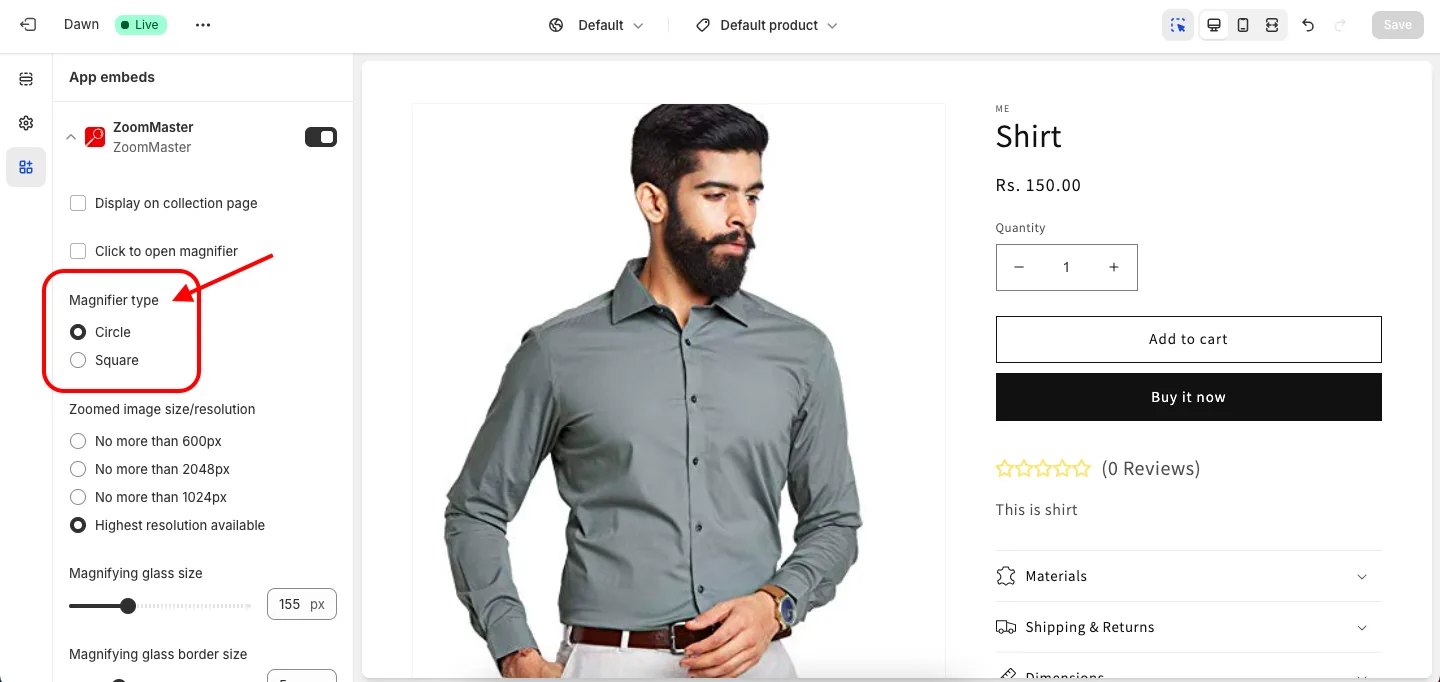
Of course, we offer two types of magnifier 1) Round 2) Square
In your Shopify admin go to Online Store > Themes > Customize to open the Theme Editor, then open App embeds > ZoomMaster and pick your preferred Magnifier type. Circle is the default. Click Save to apply.
Get ZoomMaster app for Shopify storefrom here ZoomMaster