How Can I Publish a Review & Why Is It Marked as "Unpublished"?
A review may be marked as "Unpublished" due to the following reasons:
- It has not been manually approved.
- The review settings require admin approval before publishing.
- You are on the Free plan and have already published 25 reviews this month. New reviews are held until you upgrade or the next month starts.
To publish a review, follow these steps:
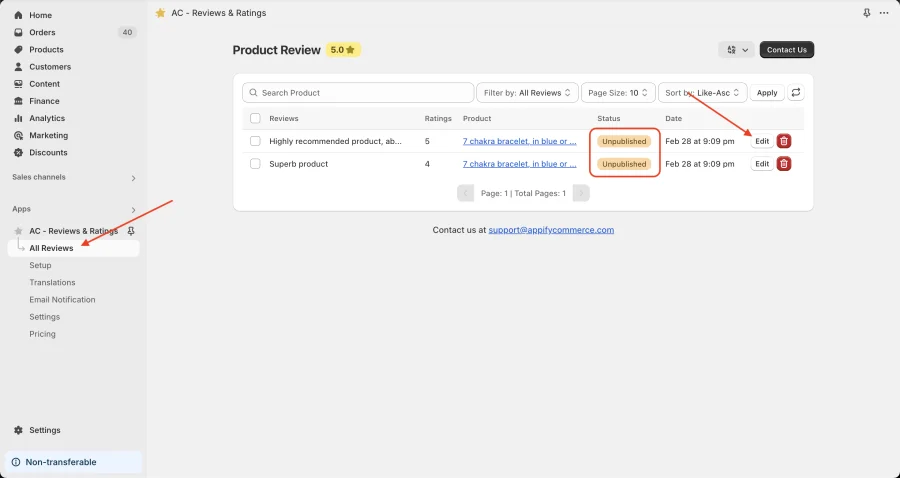
- Go to AC - Reviews & Ratings > All Reviews.
- Find the review marked as "Unpublished".
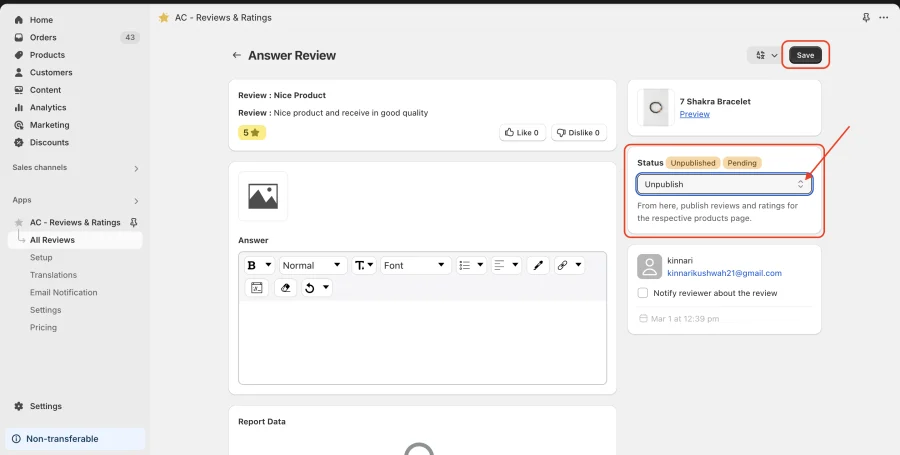
- Click on Edit, change its status to Published and save the changes.
Get Review & Rating App from here for your shopify store Review and Rating App