How can I enable or disable direct publishing of reviews on my Shopify store?
To enable or disable direct publishing of reviews, follow these steps:
- Open the AC - Reviews & Ratings app in your Shopify store.
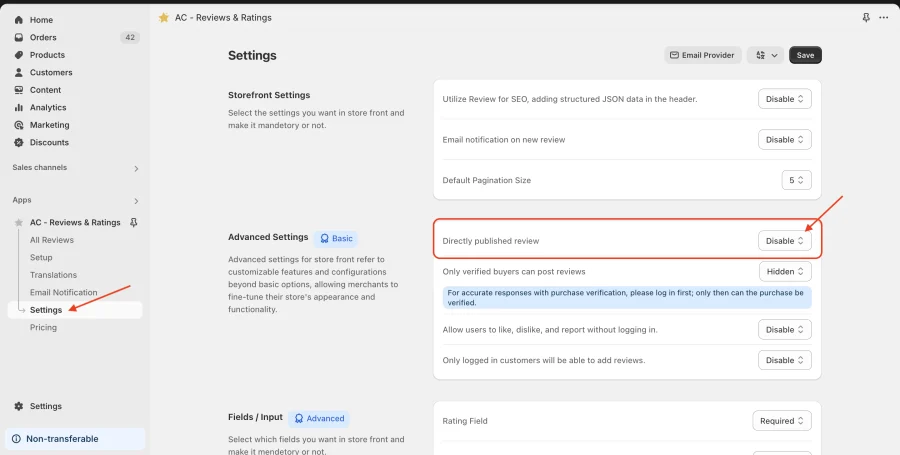
- Navigate to the Settings tab.
- Scroll to the Advanced Settings section.
- Find the option “Directly published review” and select either:
- Enable – To automatically publish reviews without manual approval.
- Disable – To review and approve each submission before it appears on your store.
- Click Save to apply the changes.
Note: This option is available on the Basic and Advanced plans. On the Free plan the toggle is disabled and every review needs manual approval before it appears on your store.
For better understanding, see the given screenshot.
Get Review & Rating App from here for your shopify store Review and Rating App