How can I activate the WhatsApp chat widget?
To activate the WhatsApp chat widget:
- Open the Bizify app from your Shopify admin panel.
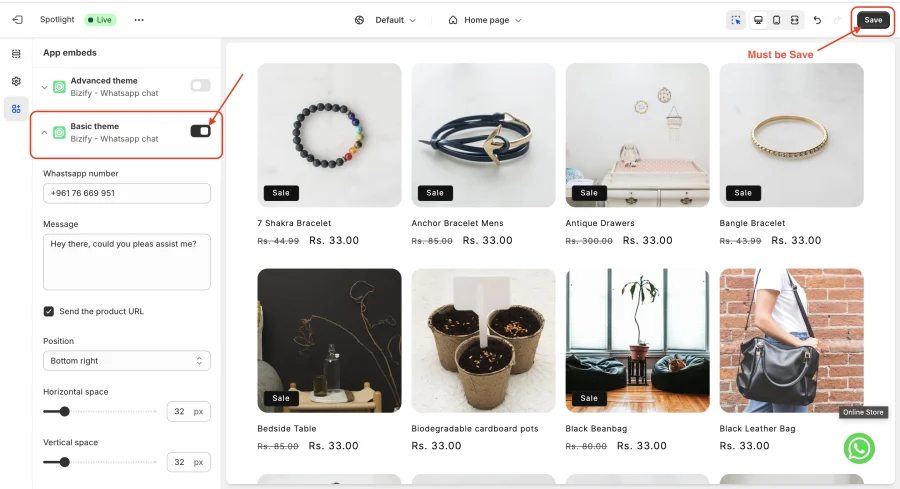
- On the dashboard, find the WhatsApp Chat Widget card and click Configure Widget. This opens your theme in the Shopify Theme Editor with the Basic theme app embed selected. You can also get there via Online Store → Themes → Customize → App embeds.
- Turn the Basic theme app embed on, then enter your WhatsApp number and message.
- Click “Save” in the Theme Editor. The widget will now be visible in your store.
You can install Bizify - Whatsapp chat in Shopify store from here.
info
Contact Us at support@appifycommerce.com