How can I activate the WhatsApp chat widget in Whatsappify for Magento?
To activate the WhatsApp chat widget in Whatsappify for your Magento store:
- Open the Whatsappify app from your Magento admin panel.
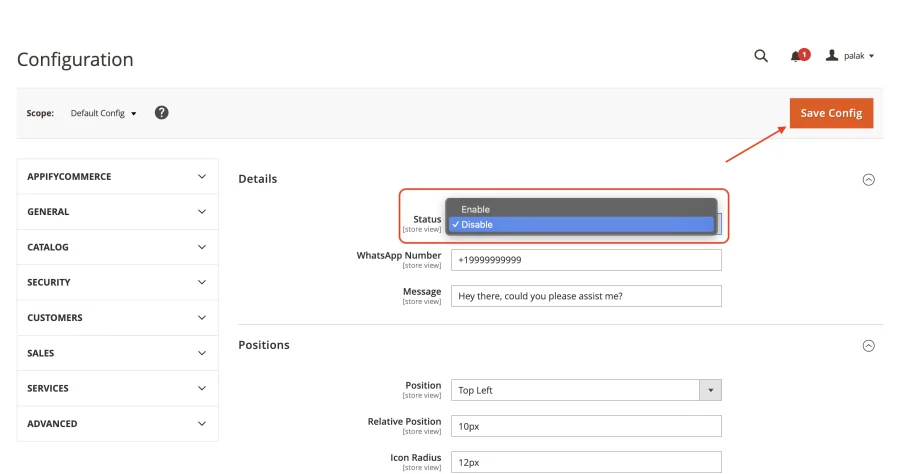
- Open the Details section.
- Set Status to Enable and make sure your WhatsApp number (with country code) and message are filled in.
- Click 'Save Config' to apply the changes. The widget will now be visible on your Magento store, allowing direct customer engagement via WhatsApp.
You can install Whatsappify from here.
info
Contact Us at support@appifycommerce.com