How do I enable the cookie consent banner on my Magento storefront?
After installing the extension the banner is switched off by default, so you need to enable it once.
To enable the banner:
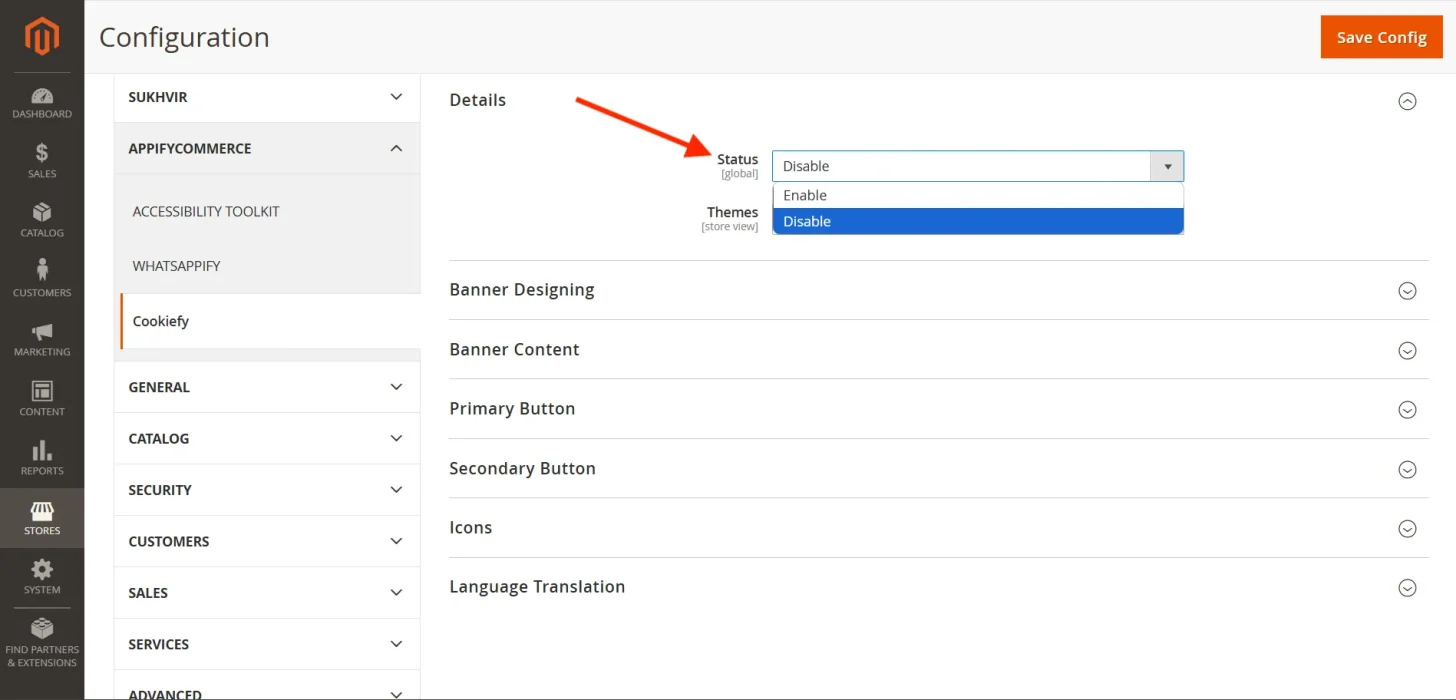
- Go to Stores → Configuration → AppifyCommerce → Cookiefy → Details.
- Set Status to Enable.
- Click Save Config, then flush the Magento cache (System → Cache Management → Flush Magento Cache; in production mode also run
php bin/magento setup:static-content:deploy -f).
Once saved, the cookie consent banner will be active and visible on your storefront.
You can install Cookiefy banner from here.
info
Contact Us at support@appifycommerce.com