How do I change the position of the Accessibility App tray icon for my Magento store?
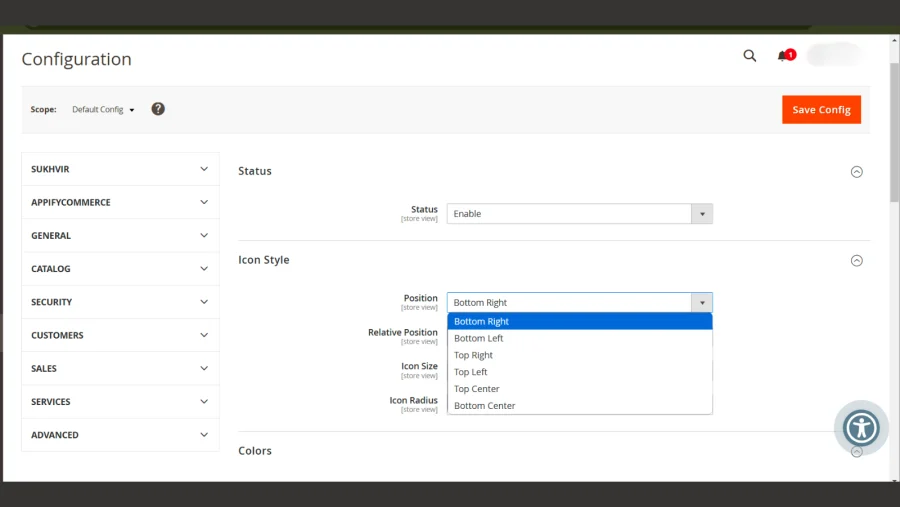
You can set the position of the tray icon to the top left, bottom left, top right, bottom right, top center or bottom center under Stores → Configuration → AppifyCommerce → Accessibility Toolkit → Icon Style → Position. Choose your desired position, then click Save Config. For a better understanding, check out ScreenShort or the video below.
Check out this tutorial here
You can install Accessibility App from here.
info
Contact Us at support@appifycommerce.com